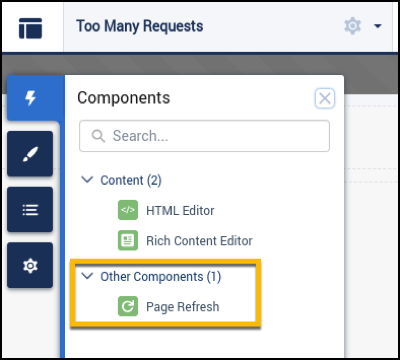
The Page Refresh component automatically refreshes the page for your customers.
Required Editions
| Available in: both Salesforce Classic and Lightning Experience |
| Available in: Enterprise, Performance, Unlimited, and Developer Editions |
| User Permissions Needed | |
|---|---|
| To customize or publish an Experience Cloud site: |
|
The Page Refresh component is built into the body of the Too Many Requests page, so there’s no need to manually add it to the page. The Too Many Requests page uses the same theme layout header and theme layout footer as the Service Not Available page. So if you move the Page Refresh component to the header or footer on the Too Many Requests page, the component is also added to the Service Not Available page.