---
schema_version: "1"
id: 2d18aecc5ea7a070edb93e7e03dbcd742fce9ef989d09d656eb996f20b53606d
title: Page Refresh
collection: admin
version: current
locale: en-us
portal_url: https://docs.salesforce.com/admin/current/en-us/experience/264-0-0/community_builder_page_refresh_component.md
canonical_url: https://help.salesforce.com/s/articleView?id=experience.community_builder_page_refresh_component.htm&release=264.0.0&type=5
source_site: help.salesforce.com
content_type: documentation
content_hash: 5a46d32adfc6d05d0f0b6c08e9825f4002df556213f1220c4c07aeccb8a693bc
description: The Page Refresh component automatically refreshes the page for your customers.
products:
  - Experiences
release: "264"
---
# Page Refresh

The Page Refresh component automatically refreshes the page for your customers.

### Required Editions

<table class="slds-table slds-table_bordered slds-max-medium-table_stacked slds-m-bottom_small edition"><colgroup><col></colgroup><tbody><tr class=""><td class="slds-cell-wrap" style="vertical-align:top;">Available in: both Salesforce Classic and Lightning Experience</td></tr><tr class=""><td class="slds-cell-wrap" style="vertical-align:top;">Available in: <strong>Enterprise</strong>, <strong>Performance</strong>, <strong>Unlimited</strong>, and <strong>Developer</strong> Editions</td></tr></tbody></table>

<table class="slds-table slds-table_bordered slds-max-medium-table_stacked slds-m-bottom_small permission">
        <colgroup>
          <col style="width:50%">
          <col style="width:50%">
        </colgroup>
        <thead class="slds-text-title_caps ">
          <tr class="">
            <th scope="colgroup" class="slds-cell-wrap" colspan="2" style="text-align:center;vertical-align:top;" id="d53647e70">User Permissions
              Needed</th>
          </tr>
        </thead>
        <tbody>
          <tr class="">
            <td data-label="User Permissions Needed" class="slds-cell-wrap" style="vertical-align:top;" headers="d53647e70 ">To customize or publish an Experience Cloud site:</td>

            <td class="slds-cell-wrap" style="vertical-align:top;" headers="d53647e70 ">
              <ul>
                <li>Create and Set Up Experiences AND View Setup and Configuration AND be a member
                  of the site<p>OR</p>
                </li>

                <li>View Setup and Configuration AND be a member of the site AND have appropriate
                  <a href="https://help.salesforce.com/s/articleView?id=experience.networks_access_control_overview.htm&amp;language=en_US" target="_blank">role-based site access</a>
                </li>

              </ul>
            </td>

          </tr>
        </tbody>
      </table>

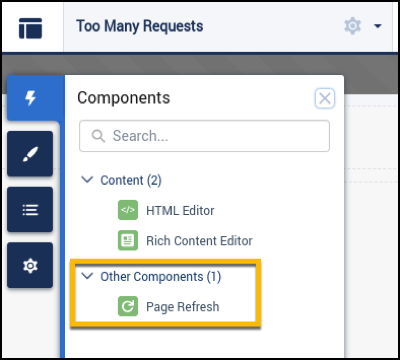
The Page Refresh component is built into the body of the Too Many Requests page, so there’s no need to manually add it to the page. The Too Many Requests page uses the same theme layout header and theme layout footer as the Service Not Available page. So if you move the Page Refresh component to the header or footer on the Too Many Requests page, the component is also added to the Service Not Available page.
![Page Refresh in Components panel](https://sf-zdocs-cdn-prod.zoominsoftware.com/tdta-experience-communities-264-0-0-production-enus/bf7df212-91a1-4fa3-a007-4d6f3e3b470b/communities/images/community_builder_page_refresh.png)