
Posts in private and unlisted Chatter groups have a seen-by count that shows the number of people who have seen a post. Click the count to see the names of people who have seen the post.
Required Editions
| Available in: Lightning Experience |
| Available in: Essentials, Group, Professional, Enterprise, Performance, Unlimited, Developer, and Contact Manager editions |

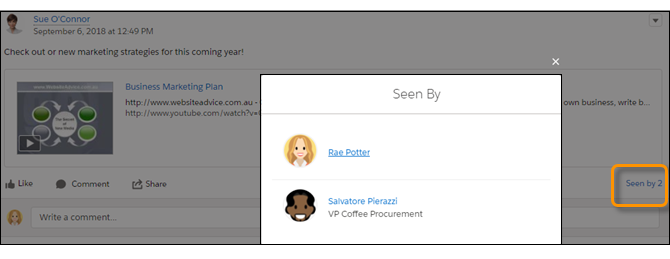
What counts as being seen? Liking, commenting, editing, and viewing in detail. An item is also considered seen when a user has it in view on the screen or when they scroll past it. Taking all of these actions into account can mean that the seen-by count is greater than the view count.
The person who posted the item isn’t included on the item’s Seen by list. When no one has liked, commented on, edited, or visited the item detail view, the view count is shown instead of the Seen by count.
The actions that you take in Salesforce Classic are tracked and counted, but only Lightning Experience shows the seen-by count and list.
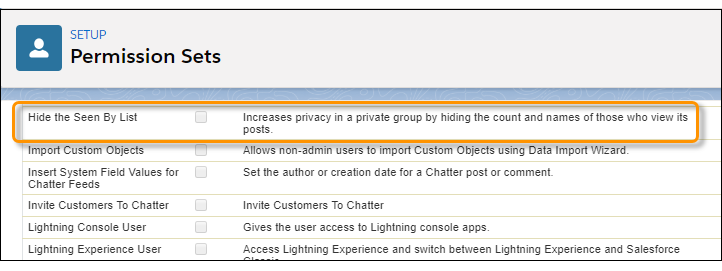
A user permission, Hide the Seen By List, is available to disable this feature for selected users. Admins can use this permission to control who sees the count and the list.
- With a couple of exceptions, only people with access to a private or unlisted group can see seen-by information. Users with Modify All Data or View All Data permission can almost always see seen-by information in all feeds. Such users can also get the information using API calls. That is, their access is the same as with any feed item.
- If Hide the Seen By List is enabled for a user with Modify All Data or View All Data, that user doesn’t see seen-by information.
- When a private group is at-mentioned in a public group, group members can access the seen-by information from the feed item.
- Seen-by information isn’t available in any reports.
- When seen-by information isn't available, view count is displayed instead.