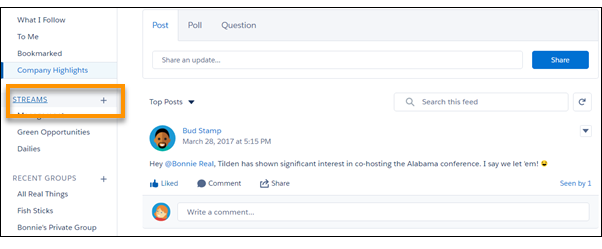
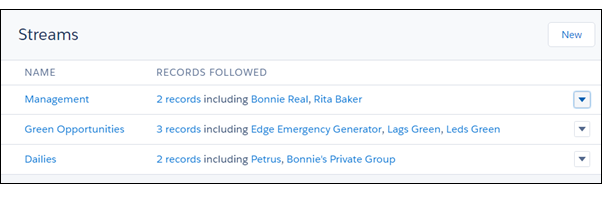
The streams home page lists all your streams, and each row provides a set of actions
that you can perform on the listed stream. Actions include the Delete
action. Deleting a Chatter stream doesn’t delete the records or posts that it contains. It deletes
only the stream, which frees up space for adding new streams.
Required Editions
| Available in: Essentials, Group,
Professional, Enterprise, Performance,
Unlimited, Contact Manager, and Developer
editions
|
-
On the Chatter home page, click the Streams heading to open the streams home page.
-
On the row that lists the stream you want to delete, click the
 menu icon, and select Delete.
-
In the Delete dialog, click Delete.