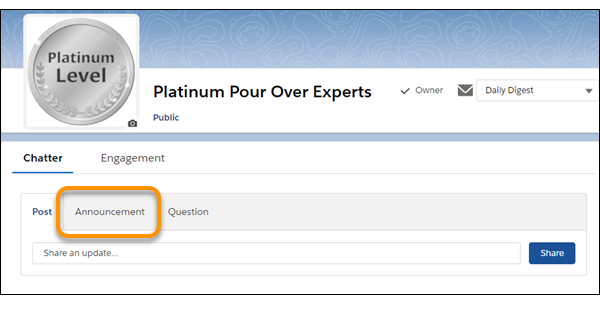
Customize the group publisher with quick actions and Salesforce mobile app actions.
Required Editions
| Available in: Essentials, Group, Professional, Enterprise, Performance, Unlimited, Contact Manager, and Developer Editions |
| User Permissions Needed | |
|---|---|
| To customize Chatter group layouts: | Customize Application |
By default, Chatter groups offer standard actions that are part of the global publisher layout, like Post, File, Link, and Poll. Override the global publisher layout with a customized group publisher layout.
- From Setup, enter Groups in the Quick Find box, then select Group Layouts.
- Click Edit next to the group layout that you want to customize, or click New to create a layout.
-
Click override the global publisher layout in the Quick Actions in
the Salesforce Classic Publisher section or override the predefined
actions in the Salesforce Mobile and Lightning Experience Actions section.
Changes to the Quick Actions in the Salesforce Classic Publisher section appear in the full Salesforce site. Changes to the Salesforce Mobile and Lightning Experience Actions section appear in the Salesforce mobile app and Lightning Experience. In groups that allow customers, the publisher shows only standard actions.
- Drag actions between the palette and the publisher layout to add, remove, and reorder actions.
- Click Save.

Add the Announcement and Add Record actions to the group publisher.
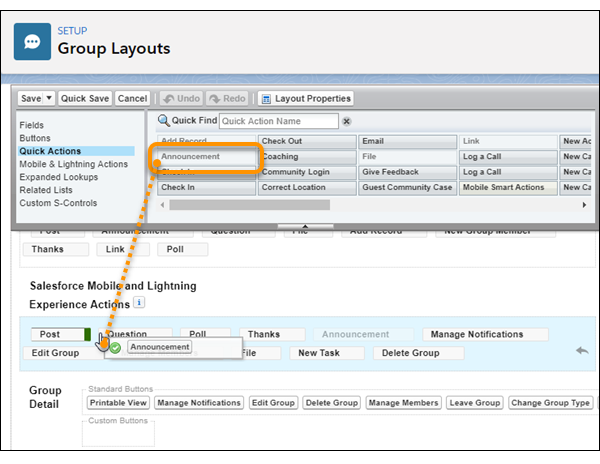
Now users can select this action directly in the publisher.