Capture, unify, segment, and activate your customer data with Data 360. Automatic
provisioning occurs for most orgs that have a Data Cloud license. However, if auto
provisioning isn't available or if you’re working in a Developer Edition or sandbox org, you
must manually enable it.
Required Editions
| Available in: Developer Edition |
| User Permissions
Needed |
| To access Data Cloud Setup |
System Admin profile AND
Data Cloud Architect permission
set
|
To provision Data 360 manually, follow these steps.
-
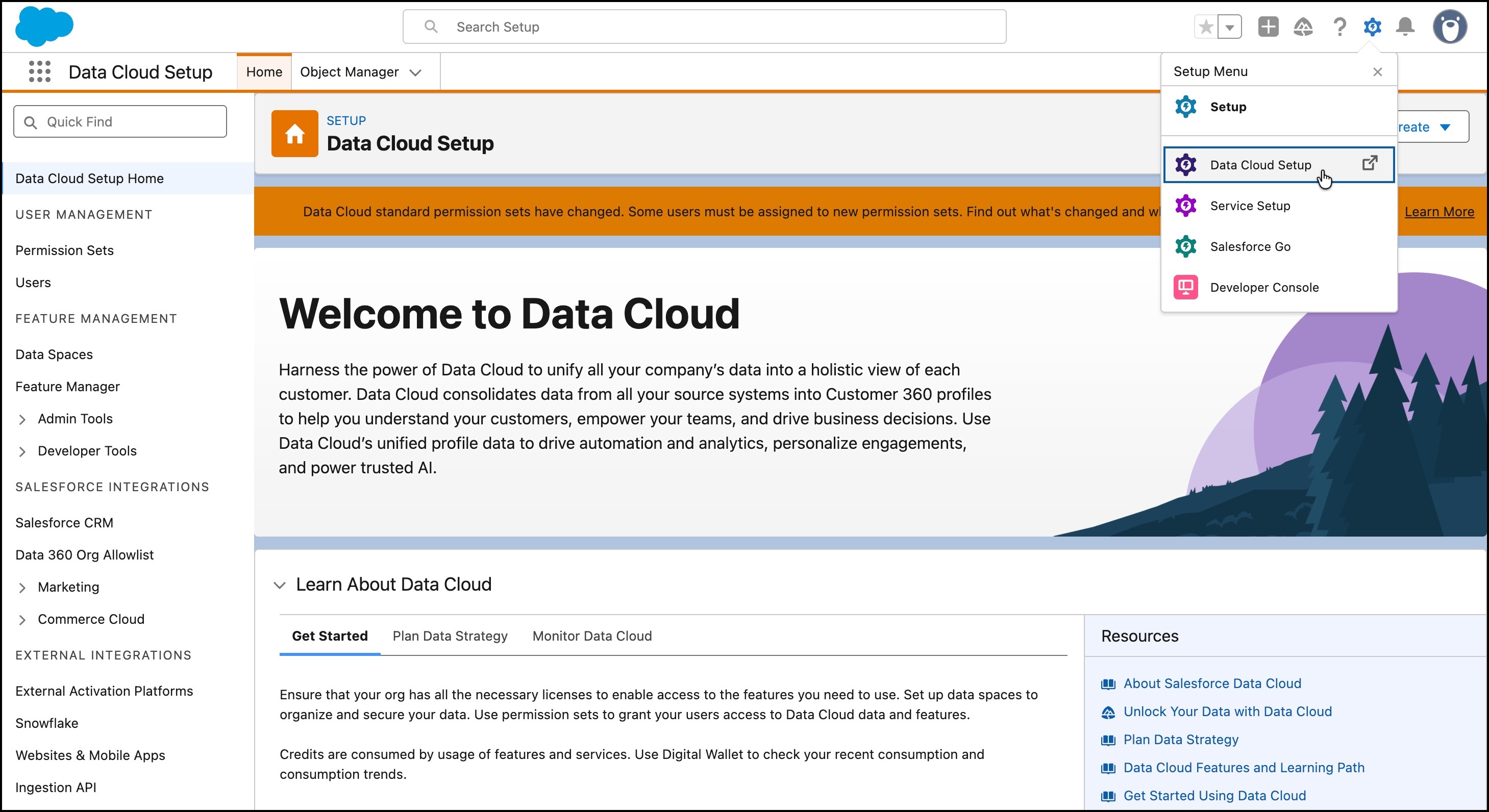
From the standard Setup dropdown, go to Data Cloud
Setup.
If you don’t see this option, refresh your page, or log out and then log back
in with your admin user credentials.
- To enable Data 360, click Get Started.
Setup can take a few minutes. After setup finishes, Data 360 admins can
continue with the configuration and user setup.