
Before you can create Einstein segments, enable generative AI and then turn on Einstein segments.
Required Editions
| Available in: All Editions supported by Data 360. See Data 360 edition availability. |
| User Permissions Needed | |
|---|---|
| To enable Einstein segments: |
Permission set:
|
For more information about how to enable generative AI, see Enable Generative AI.
To create Einstein segments, you must enable Einstein Segment Creation in your org. This is done in the Feature Manager.
- In Data Cloud Setup, select Feature Manager.
- Enable Einstein Segment Creation.
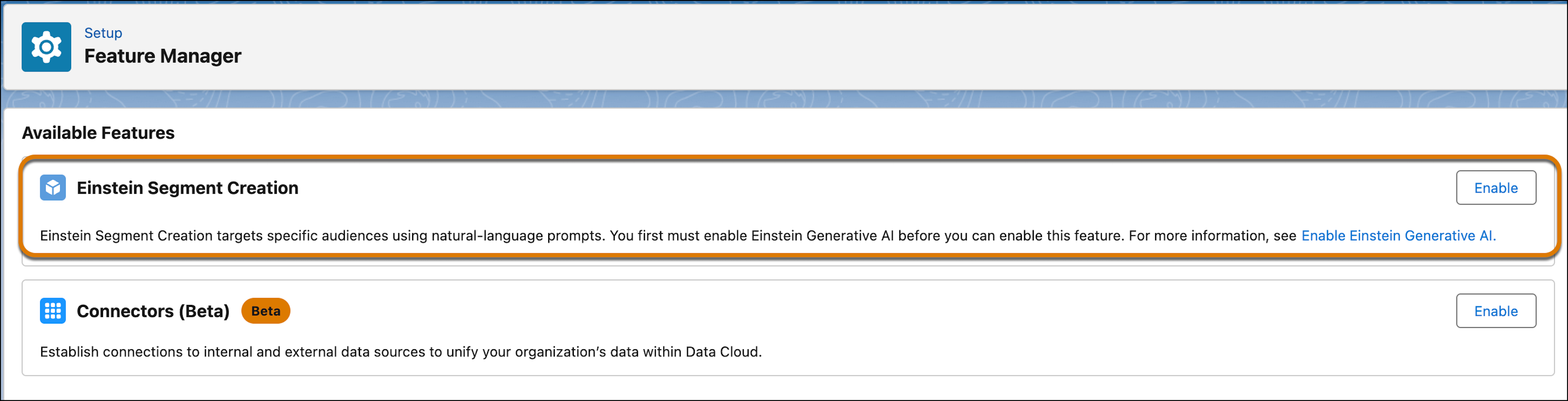
- To confirm, click Enable again.
You can now start creating Einstein segments.Einstein Segment Creation results are optimized with Einstein Data Prism. To get the best results with Einstein Data Prism, use Metadata Studio to review the generated descriptions for objects and fields, enter missing information, and remove obsolete objects from the data source. See Metadata Studio.