Clone a Data Graph

When you clone a data graph, the clone inherits the data space and primary data model object (DMO) from the original data graph. You can’t change the data space or primary DMO, but you can select different related objects and fields. You can also change the cloned data graph’s name, API name, filter settings, and description.
Required Editions

Available in: All Editions supported by Data 360. See Data 360 edition availability.
User Permission Set Needed
To clone a data graph:

Permission set:

  • Data Cloud Architect
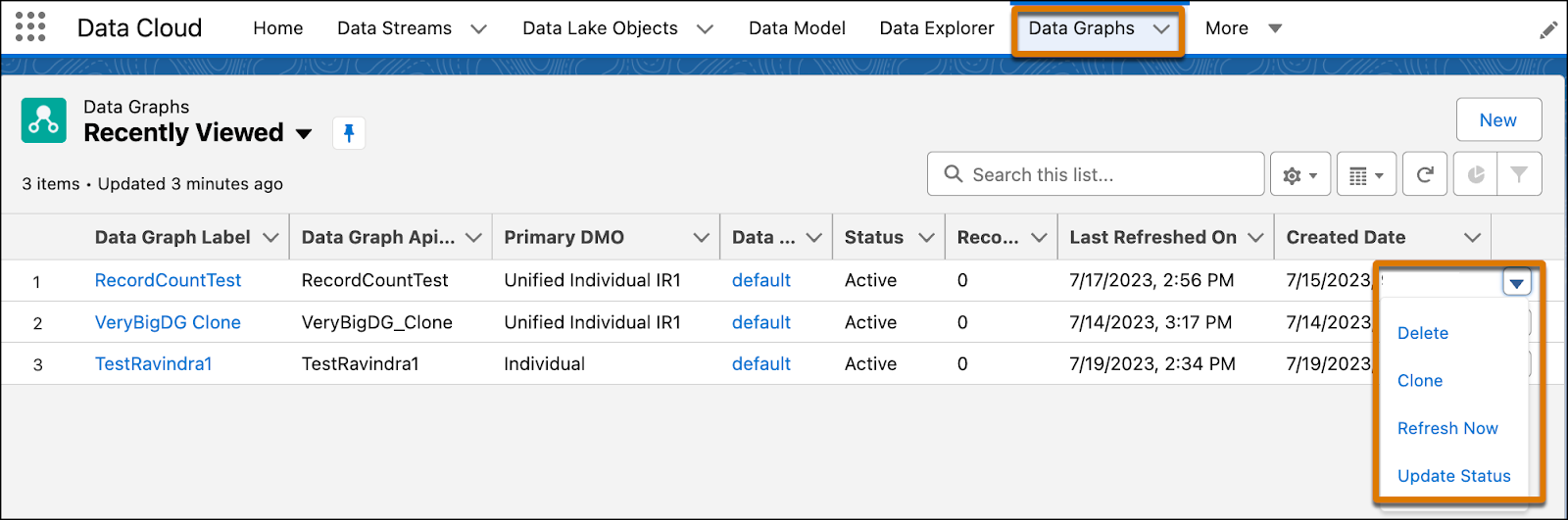
  1. Go to the Data Graphs tab.
  2. From a data graph list view, click the dropdown menu next to the data graph label, and select Clone.
    Clone data graph