Use the toolbar or keyboard shortcuts to copy and paste nodes within a single batch data
transform or across multiple ones. To use this feature, enable clipboard access permissions in
your browser.
Required Editions
| User Permissions Needed |
| To copy a batch data transform |
Permission set:
|
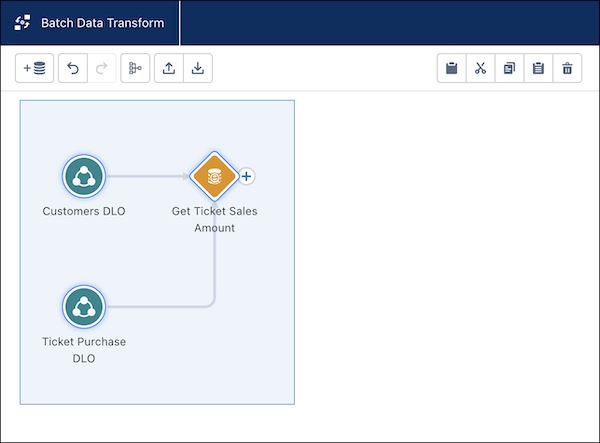
- In a batch data transform, select one or more nodes to copy or cut.
- From the toolbar, click the copy icon or press Ctrl+c to copy. To cut, click the cut
icon or press Ctrl+x. To duplicate, which copies and pastes in one step, click the
duplicate icon. To delete a node, click the trashcan icon or press Ctrl+d.
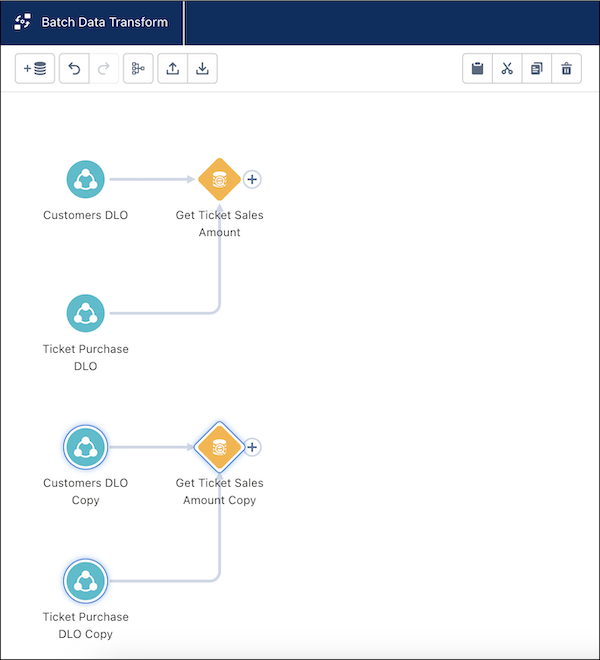
- Click the paste icon or press Ctrl+v to paste.
The copied image displays below the original.