
Use these troubleshooting steps to diagnose and resolve issues with B2C Commerce Shopper Profile Sync.
Monitor Sync Job Executions
To review recent sync activity, search for the sync job by ID sfcc-sync-unified-shopper-profiles on the job history page. You can view start and end times and the number of records processed. For more information, see View Job History.
Find Shopper Profile Sync Logs in Log Center
To capture log entries, add a log rule for each role you want to monitor. In Log Center, click
App Launcher  , and then go to , and click the plus icon to add a rule. For more information, see Access Log Center.
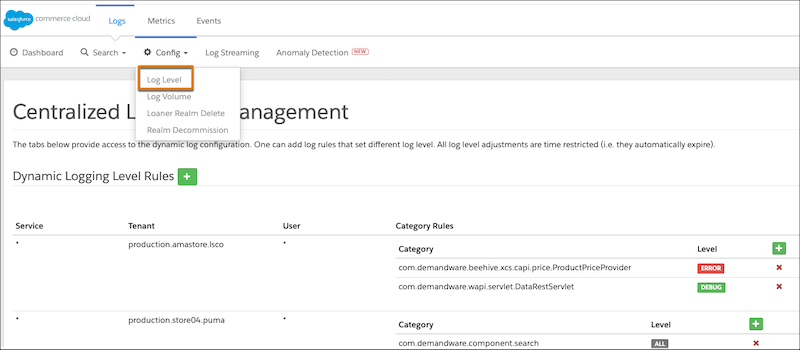
Enable these log categories based on the role you're investigating.
| Role | Log Category |
|---|---|
| Publisher | com.demandware.beehive.core.unifiedprofile |
| Subscriber | com.demandware.component.transaction.anccrm.integration |
Error Log Phrases
Search Log Center at the Error level for these phrases to identify sync failures.
Sync Job
- Exception in beforeStep for profile sync job
- Error processing chunk
- Failed to process
- Error in publish stream
Publisher
- Error in publish stream
- Error during publishing - Unauthenticated
- Internal Eventbus Error - Unavailable
- Eventbus Error
- Failed to serialize custom field values for customer
Subscriber
- Failed to enable sync preference for core org
- Failed to handle event
- No recordIds in CDC event for transactionKey
- Failed to get changed fields from event record
- Error during subscription
- Internal Eventbus Error
- Eventbus Error
Field Synchronization Delay
If you add a field to a Person Account, wait up to 5 minutes before it shows up in the dropdown menu on the Attribute Mappings UI.