Sometimes, analyzing your data source requires adding a calculated field based on your
existing fields. For example, you want to review the cost for each product that you sell. You can
either create a calculated field manually, or you can use Semantics AI and let Einstein draft one
for you.
Required Editions
| User Permissions Needed |
| To add calculated fields: |
Tableau Unmetered Platform Analyst or Tableau Next Platform Analyst permission set |
-
From the workspace, open the visualization.
-
From the semantic model’s context menu, select Created Calculated Field.
-
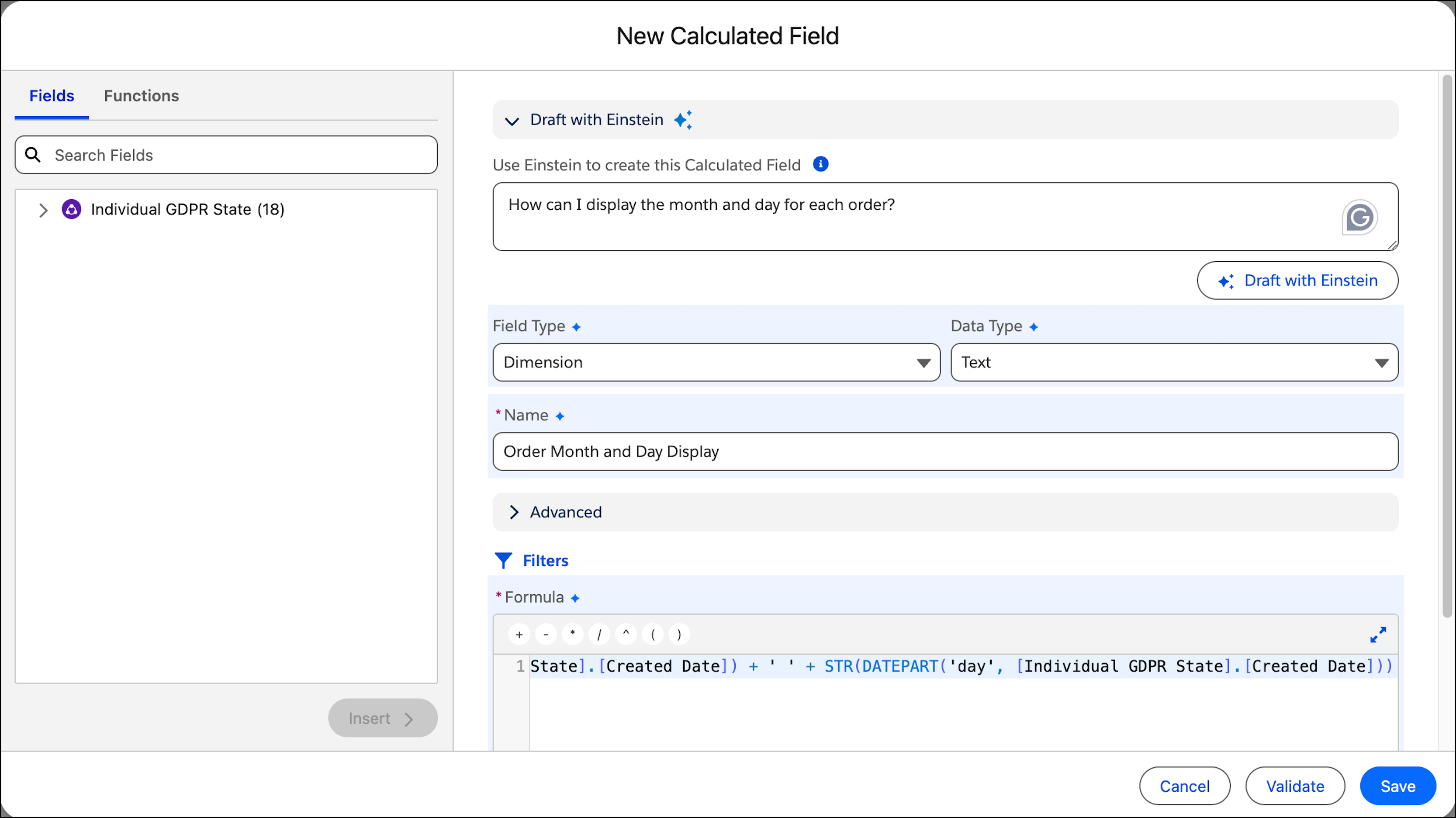
In the New Calculated Field dialog box, enter the formula that you want to apply. For more
information, see Build a Formula in a Calculated Field.
To use Semantics AI (Beta), under Draft with Einstein, explain the measure you want to
create in the text box and then click Draft with Einstein.
Einstein suggests a formula and fills out all of the fields accordingly.
-
Click Validate.
-
Save the formula.