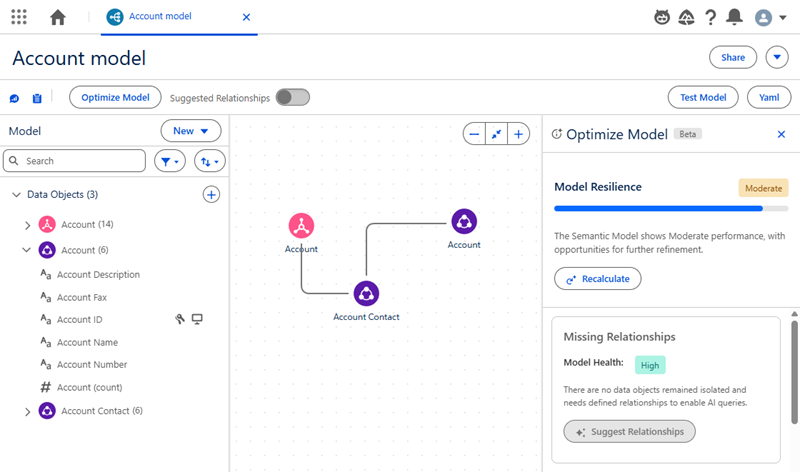
After a system administrator enables the feature, you can begin using it to evaluate and
improve your semantic models. You interact with the feature primarily through the Optimize Model
Panel, which visualizes the Model Health and AI-readiness strength of your models.
Required Editions
| User Permissions Needed |
| To add data model objects: |
Tableau Next Admin |
-
View the AI-readiness strength in the semantic model management table. The strength is
displayed as a persistent signal.
-
Open an individual semantic model to see its strength rating.
-
Hover over the strength indicator to see a breakdown of the score. A tooltip summarizes the
status and what it implies for agent compatibility.
-
Click for the full Readiness Panel to explore KPI levels, tooltips, and suggested
actions.
Events such as publishing or saving a draft automatically recalculate the AI-readiness
strength. To get update feedback, you can also trigger a manual recalculation from the semantic
model, panel, or management page.
To learn more about semantic models and best practices
for creating them, we recommend completing the Design Your Semantic Model for Analysis
Trailhead.