
Within Tableau Next, create a metric based on a semantic model.
Required Editions
| View supported editions. |
| User Permissions Needed | |
|---|---|
| To add a metric to a semantic model: | Tableau Unmetered Platform Analyst or Tableau Next Platform Analyst permission set |
- From your workspace, open the model that you want to use for defining a metric.
-
A new model opens in builder mode. In an existing model, to open builder mode, click
Edit.

-
To create a metric, from the New dropdown, select
Metrics.
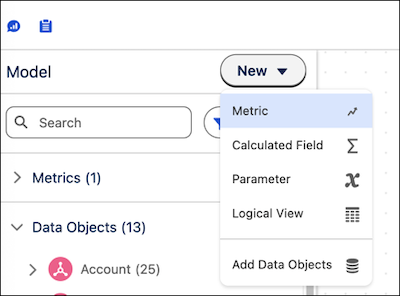
- Define the metric. For more information, see Create a Metric for a Semantic Model.
The metric is now available to use in dashboards, to follow, and to embed in web pages.