
You can now convert standard and custom CRM objects into Data Lake Objects without leaving Tableau Next.
Required Editions
| View supported editions. |
| User Permissions Needed | |
|---|---|
| To upload data into Tableau Next: | Tableau Unmetered Platform Analyst or Tableau Next Platform Analyst permission set |

Note Salesforce Connections is a pilot or beta service that is subject to the Beta Services
Terms at Agreements - Salesforce.com or a written Unified Pilot Agreement if executed by
Customer, and applicable terms in the Product Terms Directory. Use of this pilot or beta service
is at the Customer's sole discretion.
- On the workspace tab, select an existing workspace or create one.
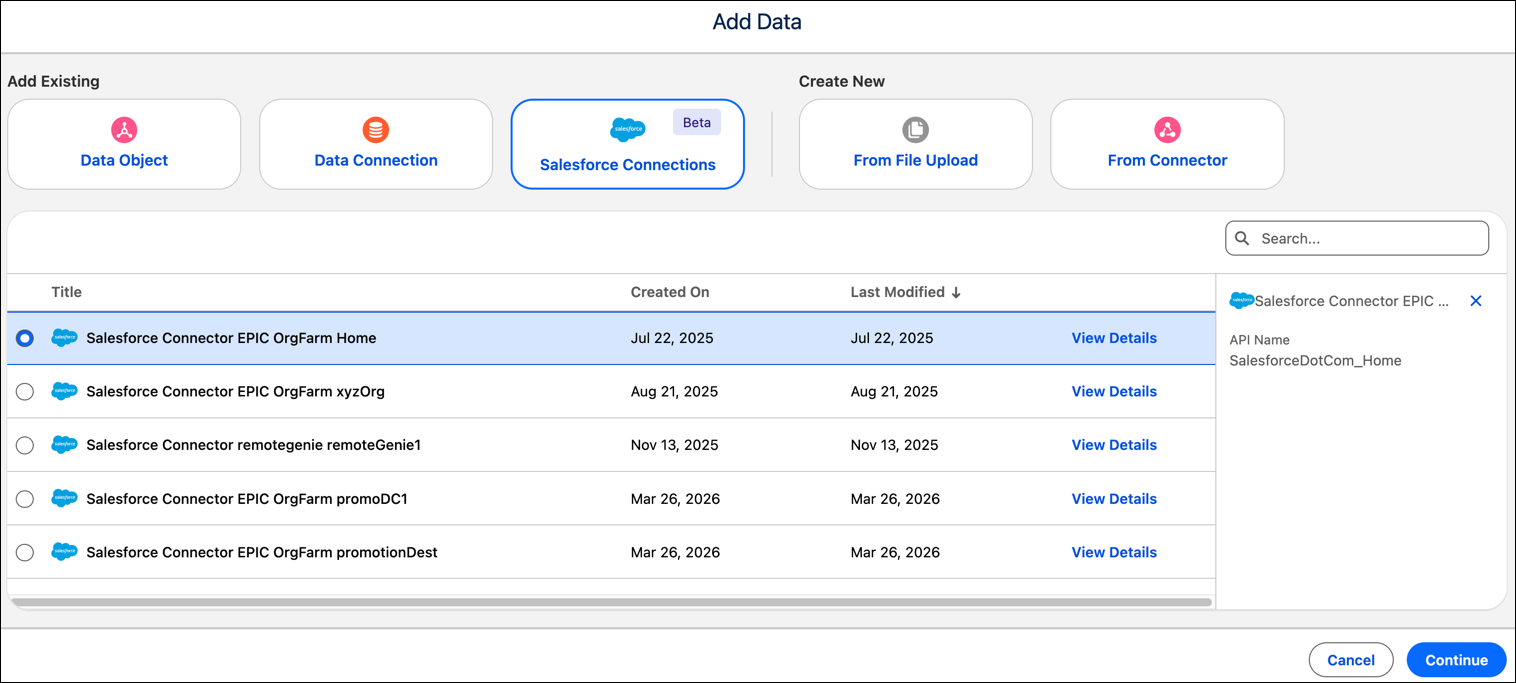
- Click Add, select Data, select Salesforce Connections (Beta).
-
Select your org and click Continue.
- Select an object, inspect the fields to verify that the data is appearing correctly.
- To add the data to Data 360, select one or more sheets and click Create Data Lake Object. You can also use the data to create a semantic model or visualization.