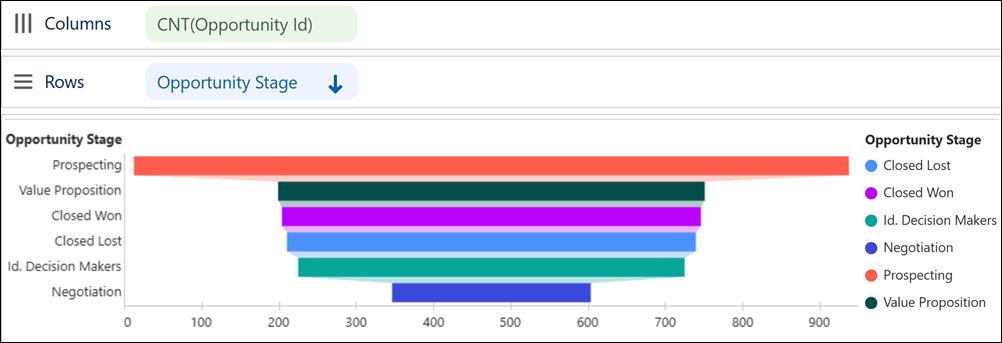
In Tableau Next, you can quickly surface patterns as your data moves through a process
or workflow with funnel charts. Compare conversion from one stage to the next and spot bottlenecks
in business operations to prioritize areas for improvement and efficiency gains. For example,
analyze how opportunities move through your sales stages in a funnel chart to pinpoint the stages
where opportunities need attention first.
Required Editions
| User Permissions Needed |
| To create Tableau Next visualizations: |
Tableau Unmetered Platform Analyst or Tableau Next Platform Analyst permission set |
-
From the Show Me pane in your visualization, click the
 thumbnail.
The Show Me pane shows you the minimum required fields for the chart type: one
measure and one dimension. It also shows the effects that Tableau Next applies automatically to
this chart type.
-
Double-click or drag a measure field, such as Count of
Opportunities, onto Columns.
-
To show opportunities by stage, double-click or drag Opportunity
Stage onto Rows.
-
To sort stages by value in descending order, click
 in the widget toolbar.
-
Drag the same dimension onto the Color encoding to differentiate
values more easily.
-
Apply your changes.