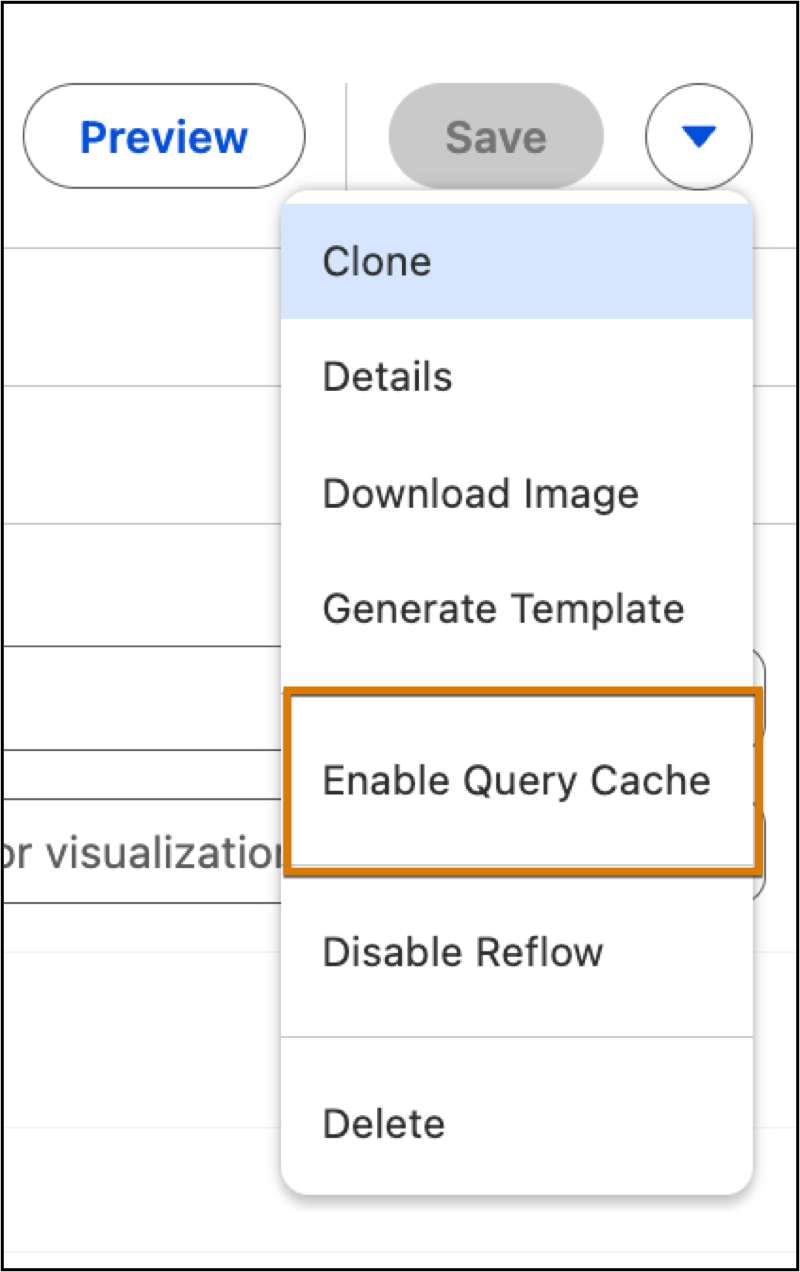
Accelerate page load times for Tableau Next dashboards by switching your system interactions to cached query results. Storing and reusing data for up to thirty minutes eliminates system overhead from expensive live queries during frequent visits. Required Editions View supported editions. User Permissions Needed To edit Tableau Next dashboards: Tableau Unmetered Platform Analyst or Tableau Next Platform Analyst permission set Open the Dashboard Editor. From the Actions menu, select Enable Query Cache. Note Once enabled, the dashboard utilizes cached query results for 30 minutes before triggering an automatic refresh.
Accelerate page load times for Tableau Next dashboards by switching your system interactions to cached query results. Storing and reusing data for up to thirty minutes eliminates system overhead from expensive live queries during frequent visits. Required Editions View supported editions. User Permissions Needed To edit Tableau Next dashboards: Tableau Unmetered Platform Analyst or Tableau Next Platform Analyst permission set Open the Dashboard Editor. From the Actions menu, select Enable Query Cache. Note Once enabled, the dashboard utilizes cached query results for 30 minutes before triggering an automatic refresh.