
Edit a Tableau Next template's details or resources, remove template resources, or delete a template.
Required Editions
| View supported editions. |
| User Permissions Needed | |
|---|---|
| To view, create, and edit Tableau Next templates: | Tableau Unmetered Platform Analyst or Tableau Next Platform Analyst permission set |
When you update app templates, consider the following.
- If any source assets are deleted, update the template to reflect the removal. Save the template to apply the changes.
- After an app is installed from a template, updates to the template don't affect installed apps. Only new app installations include the updates.
- If you delete a template with installed apps, a list of the installed apps appears. Cancel the operation, or proceed to delete the template and all its installed apps.
- On the Templates page, select the template you want to update.
-
To edit the template properties, click Edit.
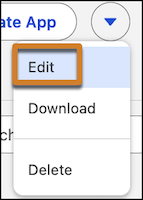
-
Edit your template properties and save.
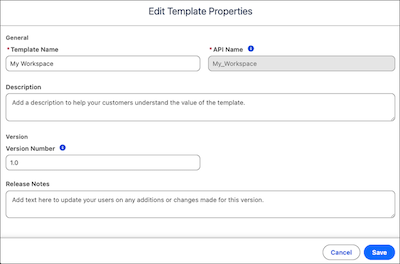
-
Edit your template properties and save.
-
Add more resources to your template with Add Resources.
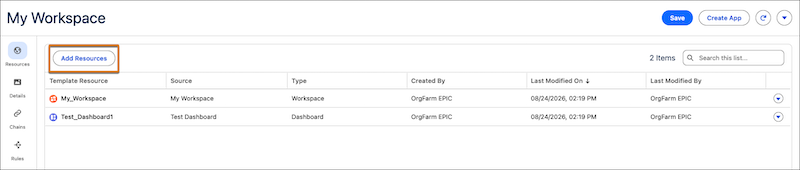
Resources can be from other workspaces.
-
To remove a resource from your template, select Remove.

-
To edit the template details, including preview images, highlights, and tags, open the
Details page.
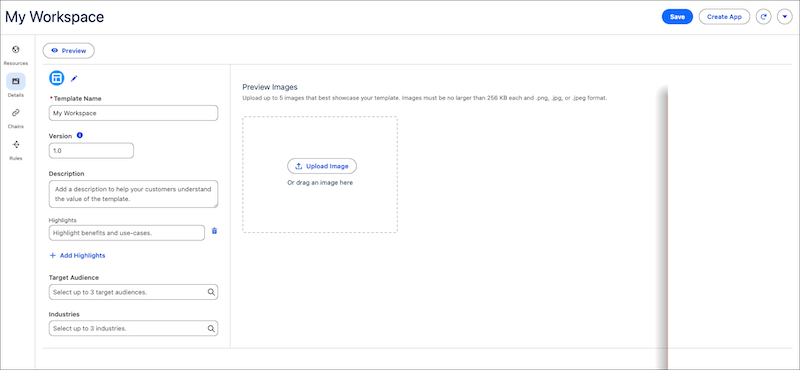
-
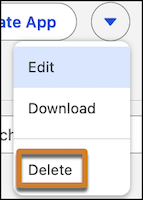
To delete the template, click Delete.
To edit template processing, such as rules and customization, download the template files.