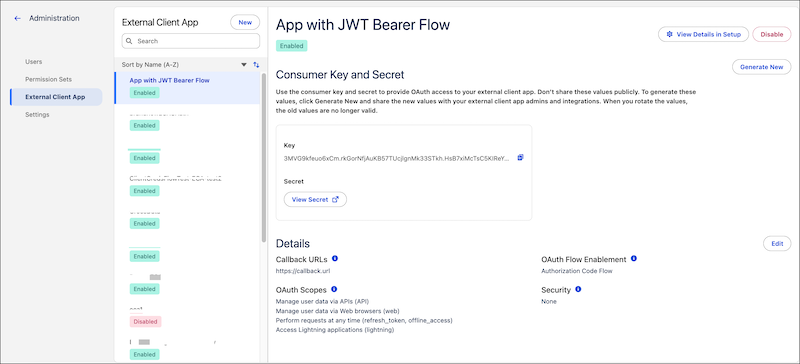
Create and manage External Client Apps (ECA) directly from the Tableau Next
Administration menu. ECAs are packageable frameworks used to enable a third-party app to integrate
with Salesforce using APIs and security protocols.
Required Editions
| User Permissions Needed |
| To create and manage External Client Apps: |
Tableau Unmetered Admin or Tableau Next Admin permission set |
-
In Tableau Next, click Administration, and then click
Settings.
-
Under Integrations, click External Client App to create and manage
your ECAs.