---
schema_version: "1"
id: 1d1d4077286995502b297f177ffc2f302e1f3b95c194ea23aa909d4109bea657
title: Manage Embedding Authentication with External Client Apps
collection: admin
version: current
locale: en-us
portal_url: https://docs.salesforce.com/admin/current/en-us/analytics/264-0-0/tua_admin_manage_external_client_app.md
canonical_url: https://help.salesforce.com/s/articleView?id=analytics.tua_admin_manage_external_client_app.htm&release=264.0.0&type=5
source_site: help.salesforce.com
content_type: documentation
content_hash: 6e169e672dc7f760b73537615337081ec682a9298d1f382d0fd75979842464b7
description: Create and manage External Client Apps (ECA) directly from the Tableau Next Administration menu. ECAs are packageable frameworks used to enable a third-party app to integrate with Salesforce using APIs and security protocols.
products:
- Tableau Next
release: "264"
---
# Manage Embedding Authentication with External Client Apps
Create and manage External Client Apps (ECA) directly from the Tableau Next Administration menu. ECAs are packageable frameworks used to enable a third-party app to integrate with Salesforce using APIs and security protocols.
### Required Editions
Tableau Unmetered Admin or Tableau Next Admin permission set
1. In Tableau Next, click **Administration**, and then click **Settings**.
2. Under Integrations, click **External Client App** to create and manage your ECAs.
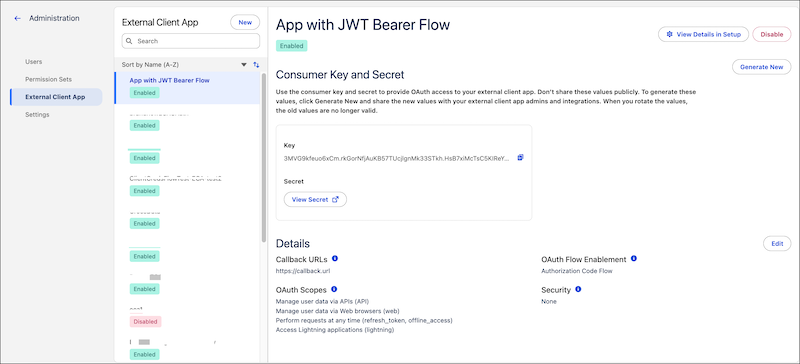
For more information on creating and managing ECAs, see [Set Up Authentication with Salesforce External Client Apps](https://developer.salesforce.com/docs/analytics/sdk/guide/sdk-setup-tn-auth.html) in the Tableau Next Embedding SDK guide.