
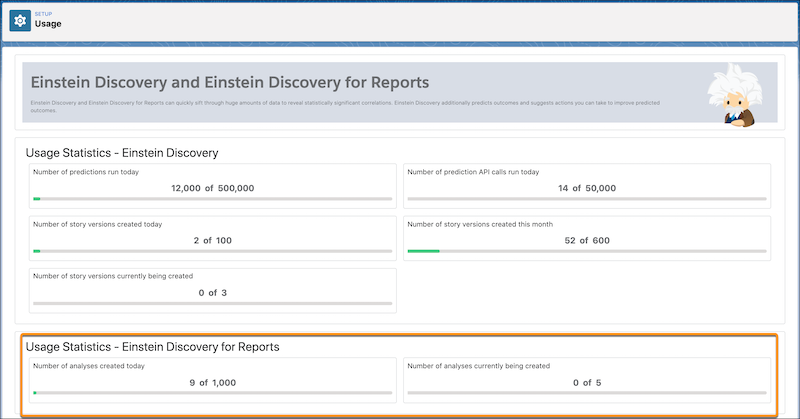
Einstein Discovery for Reports monitors usage statistics in real time. You can view the usage statistics in your org.
Required Editions
| Available in Lightning Experience |
| Available in Enterprise, Performance, and Unlimited Editions. Also available in Developer Edition. |
| User Permissions Needed | |
|---|---|
| To monitor Einstein Discovery for Reports usage statistics: | Customize Application |

Note Before you begin, Analytics must be enabled in your org. To enable Analytics, see Basic Analytics Platform Setup.
To view usage statistics:
- From Setup, in the Quick Find box, enter Discovery.
-
Under Einstein Discovery and Einstein Discovery for
Reports, select Usage.
 Note Times and dates are based on your org’s default time zone.
Statistic Description Number of analysis created today Total number of analyses created in your org since 12:00am today. Number of analysis currently being created Total number of analyses that are currently being run in your org.