
Case-sensitive text joins slow queries when the values share one capitalization. Review each suggestion, and then apply or dismiss it for this session.
Required Editions
| View supported editions. |
| User Permissions Needed | |
|---|---|
| To edit a semantic model: | Data Cloud Architect permission set AND Semantic Models object |
See Scan a Semantic Model for Performance Recommendations to start scanning your semantic model.
Turn on Match Case Insensitivity only when the joined values use the same capitalization. If you later add values that differ only by capitalization, a case-insensitive join can return incorrect results. Turn off Match Case Insensitivity on the relationship. Tableau Next doesn't recommend that change.
- On the Match Case Insensitivity card, click Review.
-
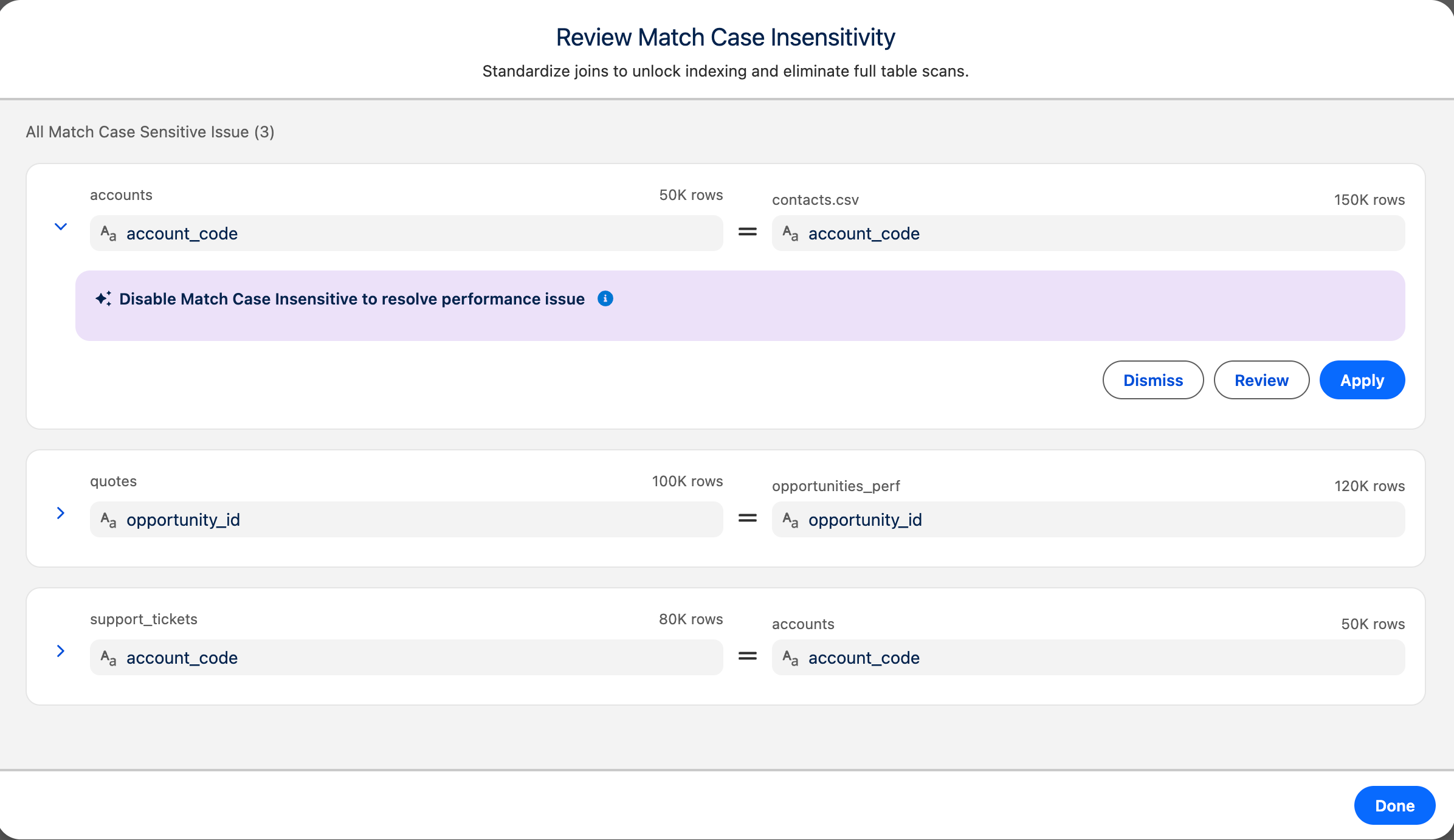
In Review Match Case Insensitivity, review the
relationships.
Each row shows the joined objects and fields.
-
Expand a row to see the details.
The highlighted section shows the recommendations that resolve the performance issues.
-
Select an action for the recommendation.
- Apply: Turns on Match Case Insensitivity for the join. A confirmation message appears.
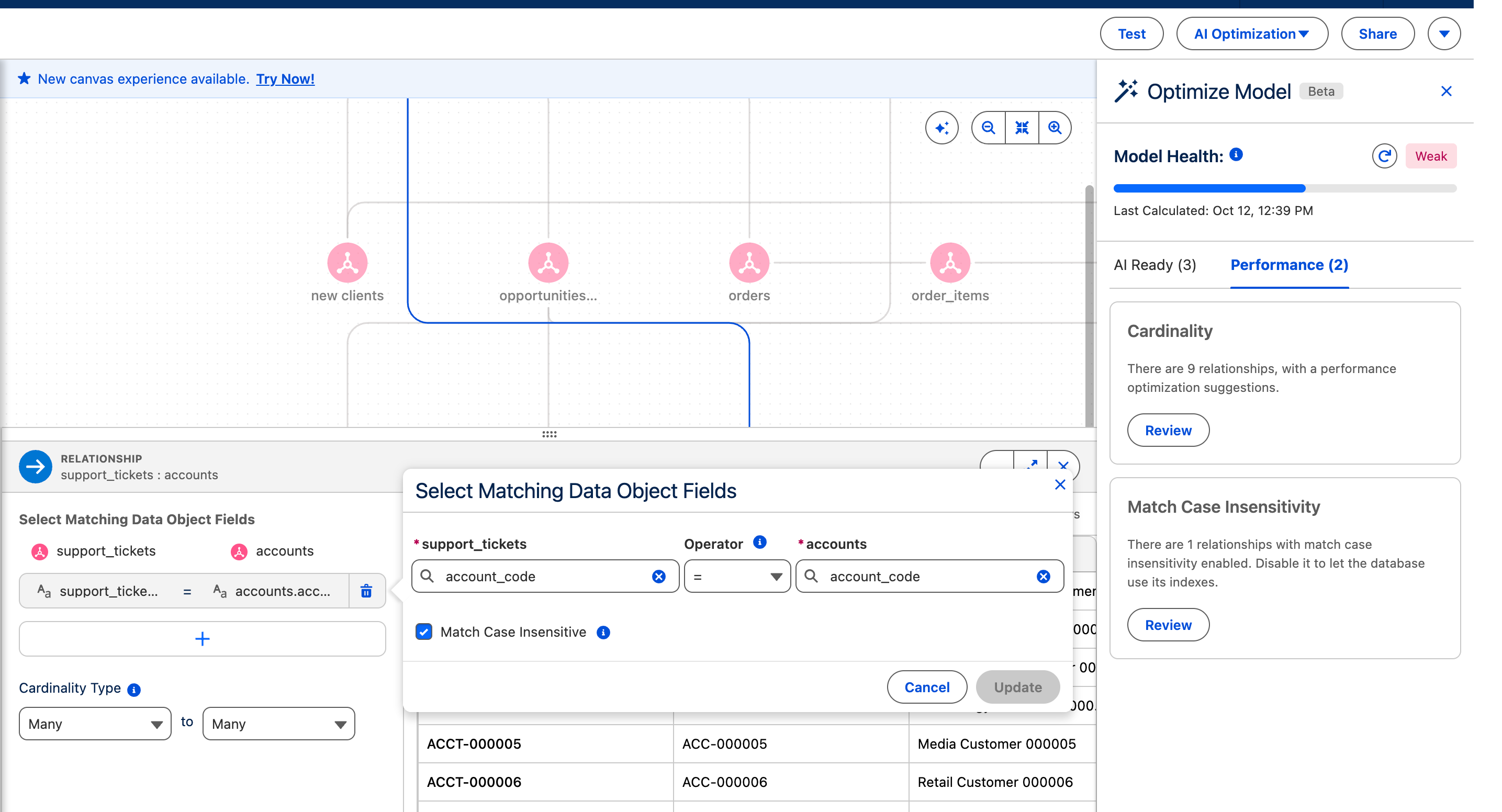
- Review: Opens the relationship's field-matching view. Review the matched fields, select Match Case Insensitivity, and click Add.
-
- Dismiss: Removes the recommendation for this session.
- Repeat for the other recommendations in the list.
- Click Done.
To undo an applied change, turn off Match Case Insensitivity on the relationship.