---
schema_version: "1"
id: 398f5ec87cd401c04dafebfafb30347e7ec19d400d7c30f6365a59285215ff33
title: Apply Match Case Insensitivity Recommendations to a Semantic Model
collection: admin
version: current
locale: en-us
portal_url: https://docs.salesforce.com/admin/current/en-us/analytics/264-0-0/c360_sl_perf_reco_apply_match_case_insensitivity_rec.md
canonical_url: https://help.salesforce.com/s/articleView?id=analytics.c360_sl_perf_reco_apply_match_case_insensitivity_rec.htm&release=264.0.0&type=5
source_site: help.salesforce.com
content_type: documentation
content_hash: 9bb7a11fade61cd8cff90c349d47f1787b5e59aa96c767fcee77777933663ebd
description: Case-sensitive text joins slow queries when the values share one capitalization. Review each suggestion, and then apply or dismiss it for this session.
products:
- Data 360
release: "264"
---
# Apply Match Case Insensitivity Recommendations to a Semantic Model
Case-sensitive text joins slow queries when the values share one capitalization. Review each suggestion, and then apply or dismiss it for this session.
### Required Editions
Data Cloud Architect permission set AND Semantic Models object
See [Scan a Semantic Model for Performance Recommendations](https://help.salesforce.com/s/articleView?id=analytics.c360_sl_scan_model_perf_recommendations.htm&release=264.0.0&type=5 "Open Optimize Model to scan join settings on a semantic model. The scan returns a Model Health rating and a card for each recommendation type.") to start scanning your semantic model.
Turn on **Match Case Insensitivity** only when the joined values use the same capitalization. If you later add values that differ only by capitalization, a case-insensitive join can return incorrect results. Turn off **Match Case Insensitivity** on the relationship. Tableau Next doesn't recommend that change.
1. On the Match Case Insensitivity card, click **Review**.
2. In **Review Match Case Insensitivity**, review the relationships.
Each row shows the joined objects and fields.
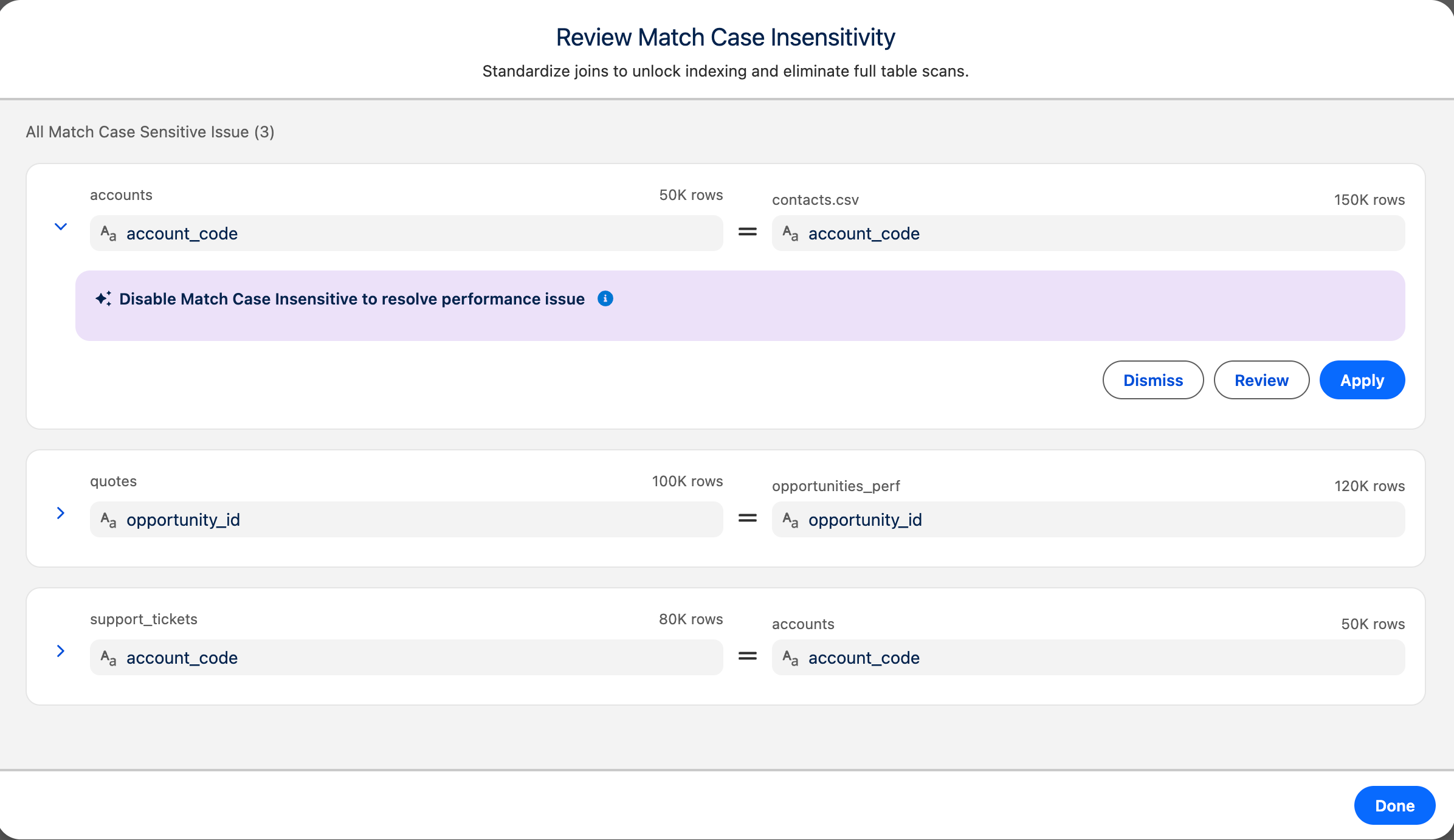
3. Expand a row to see the details.
The highlighted section shows the recommendations that resolve the performance issues.
4. Select an action for the recommendation.
- **Apply**: Turns on **Match Case Insensitivity** for the join. A confirmation message appears.
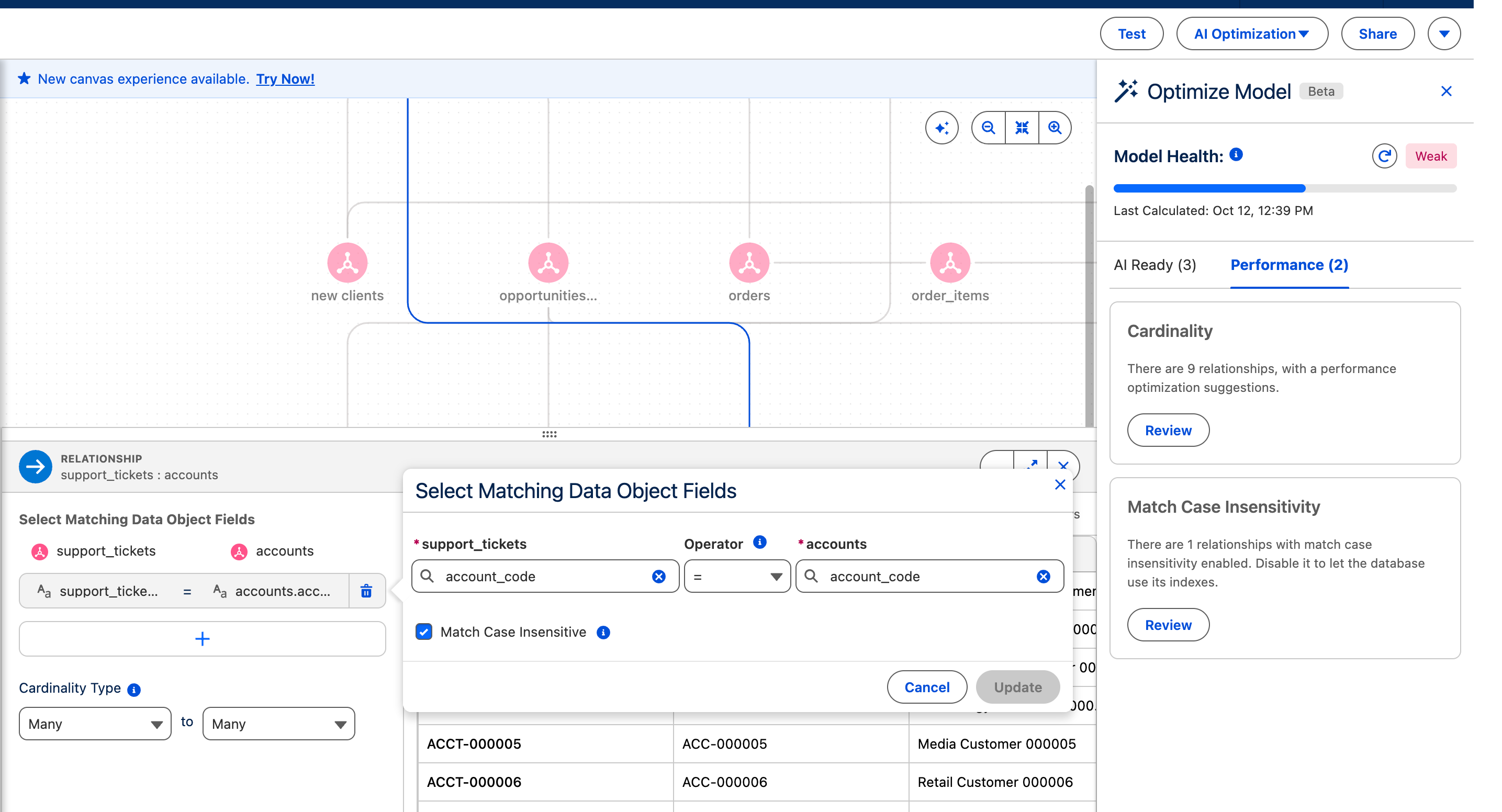
- **Review**: Opens the relationship's field-matching view. Review the matched fields, select **Match Case Insensitivity**, and click **Add**.
- 
- **Dismiss**: Removes the recommendation for this session.
5. Repeat for the other recommendations in the list.
6. Click **Done**.
To undo an applied change, turn off **Match Case Insensitivity** on the relationship.