
Group related dimensions using fields from single or multiple objects to create a single, navigable path for data exploration.
Required Editions
| Available in: All editions supported by Data 360. See Data 360 edition availability. |
| User Permissions Needed | |
|---|---|
| To create a dimensions hierarchy: |
Permission set:
AND Semantic Models object |
- In Data Cloud, on the Semantic Layer tab, select a data model.
- From the New dropdown, select Dimension Hierarchy.
- Name the hierarchy, and enter an optional description.
- Add the fields.
-
Define the drill-down path by placing the dimension from the broadest category at the top
to the most specific detail at the bottom.
If you’re combining fields from multiple objects, they must have an established relationship in the data model. If the objects aren’t related, the data doesn’t load correctly.
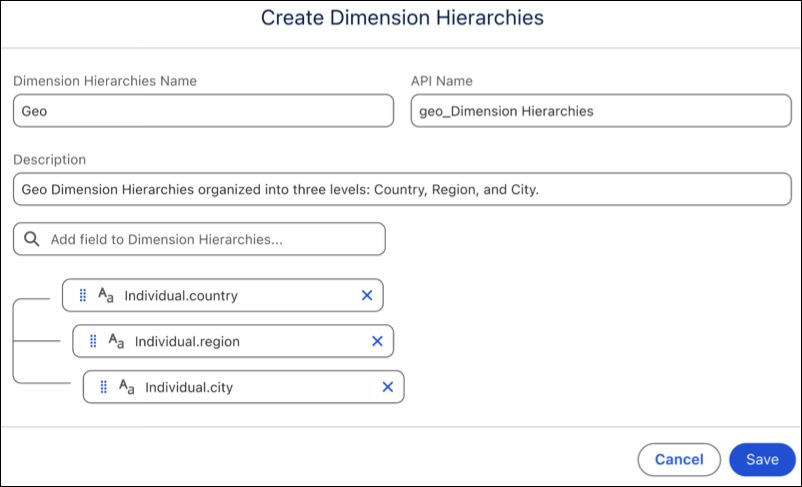
- Click Save.