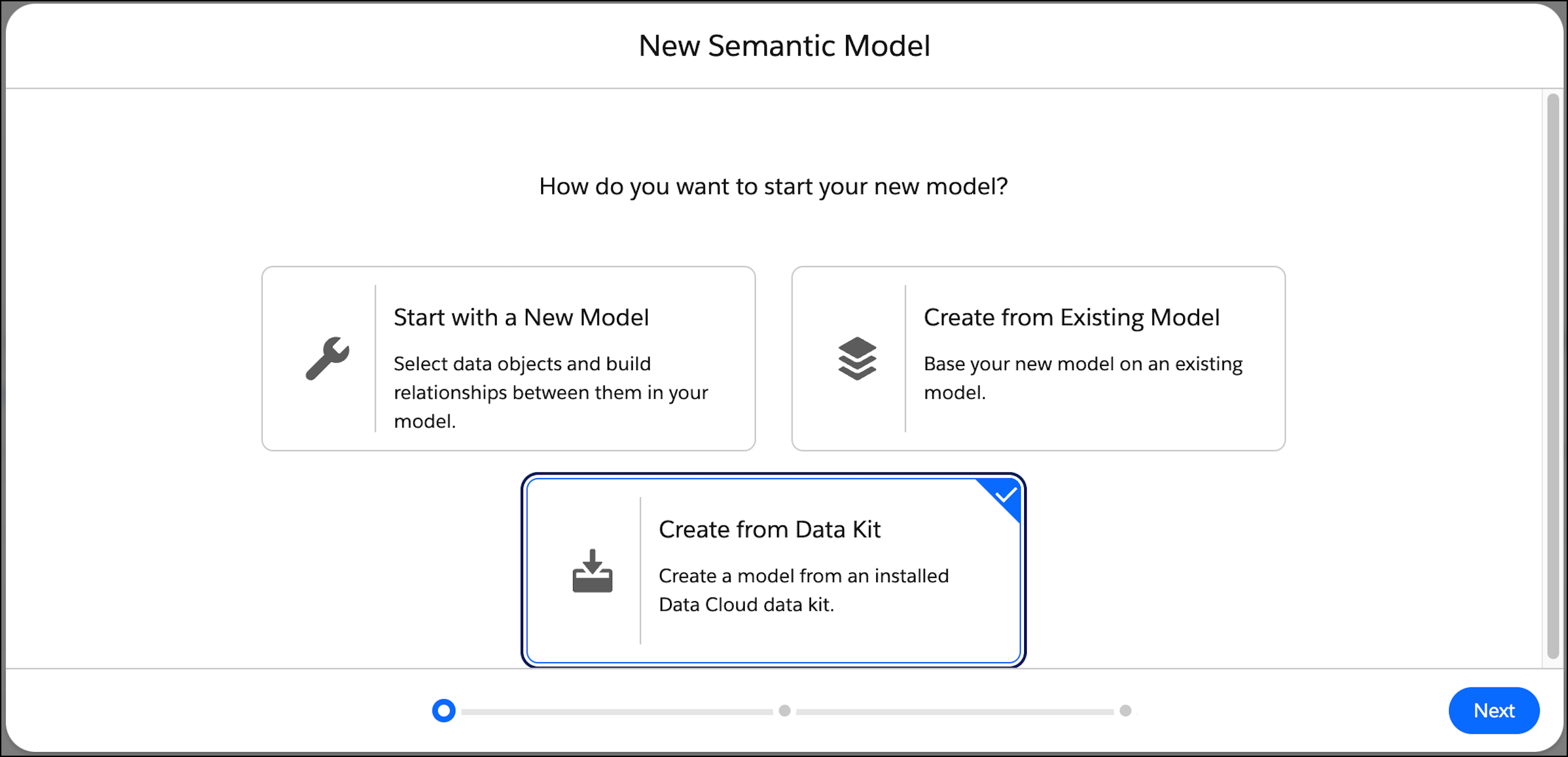
To create consistent semantic models, use a data kit. A data kit includes all the
semantic definitions, such as the data objects, their relationships, parameters, calculated
fields, and metrics. However, a data kit doesn’t include dependencies like data streams and
calculated insights.
Required Editions
| User Permissions Needed |
| To create a semantic model: |
Permission set:
AND
Semantic Models object
|
To learn more about data kits in Data 360, see Data Kits. You can also create a data kit from a semantic
model using the standard Salesforce packaging. See Create a Data Kit.
-
In Data Cloud, on the Semantic Layer tab, click New Model.
-
Select Create from Data Kit and then click
Next.
The available data kits are listed.
-
Select the data kit that includes the semantic model that you want to use.
-
Select the semantic model, and click Next.
-
Select the data space for the semantic model, and enter an optional description.
-
By default, the model name and API name are derived from the original semantic model.
Changing the API name can break definitions and cause inconsistency with newer versions. If you
are certain that you want to change the API name, select Override API
Name.