
You can use Artificial Intelligence (AI) to get relationship suggestions and create relationships in Tableau Semantics. Suggestions are based on semantic objects and sample data added to your model.
Required Editions
| Available in: All editions supported by Data 360. See Data 360 edition availability. |
| User Permissions Needed | |
|---|---|
| To create a relationship: |
Permission set:
AND Semantic Models object |
Before you begin, turn on Semantic Authoring AI in Data 360 Feature Manager. Also, turn on Turn on Einstein under Einstein Setup. See Set Up Einstein Generative AI.
- In Data Cloud, on the Semantic Layer tab, select a data model.
-
To see Einstein’s relationship suggestions, click Show
Suggestions.
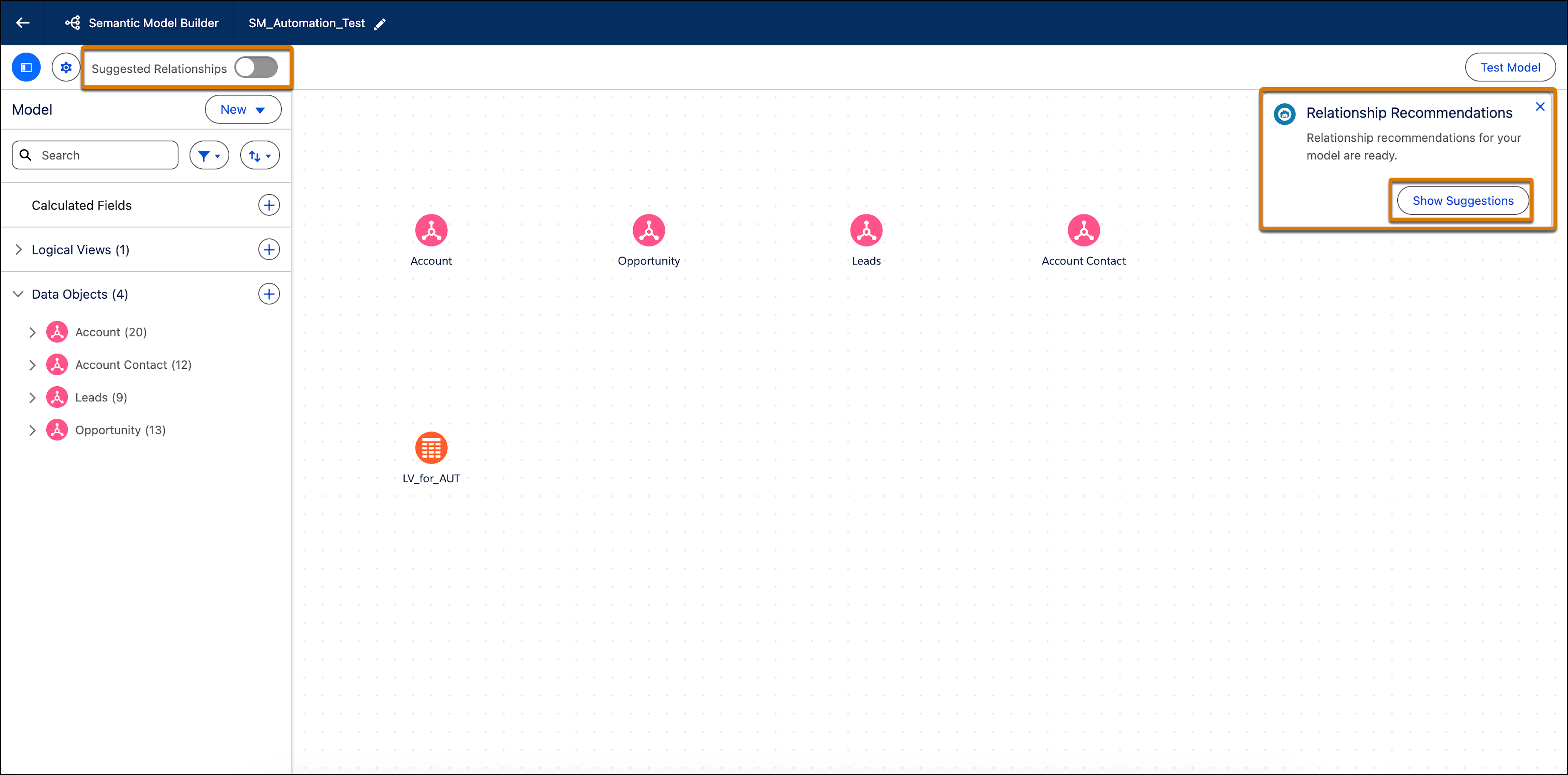
After suggestion mode is turned on, the Suggested Relationships toggle is enabled automatically. You can turn it on or off as needed.
Relationship recommendations appear with a sparkle icon between objects within the Semantic Model Builder. -
To create a relationship with Einstein, select the sparkle icon between two objects in
the canvas builder.
The Recommended Relationship window appears and shows the objects and object fields between which the relationship is formed.
-
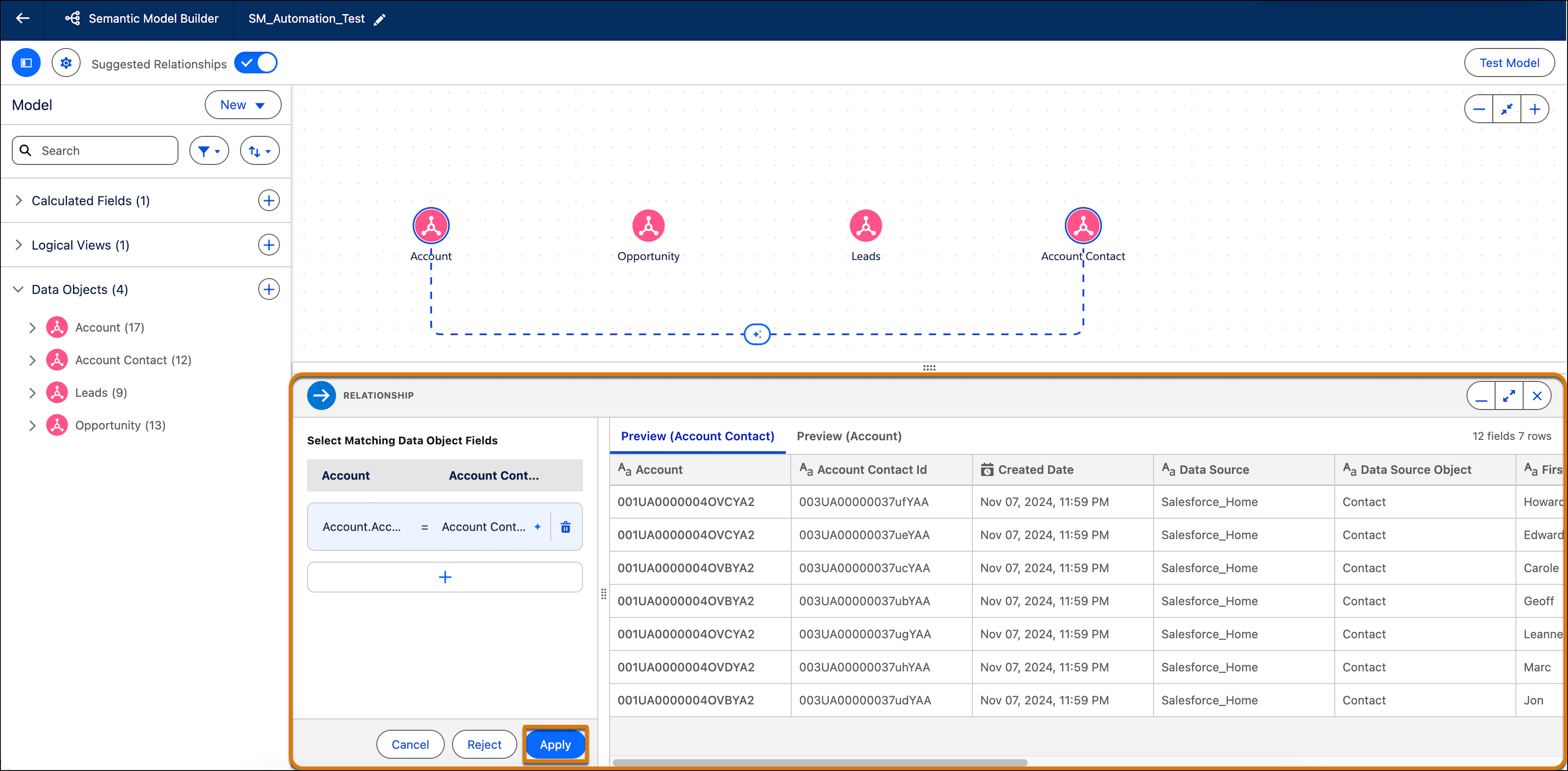
To edit the relationship before applying it, click Review.
The bottom panel opens. Here you can review the Einstein recommendations and edit any section you wish within the relationship.
-
To create the relationship based on the Einstein recommendation, click
Apply.
The relationship is created and a straight line appears between the objects signifying a relationship.
- To reject the Einstein relationship recommendation, click Reject. Einstein will no longer show this specific recommendation.
Functional Limitations
For best results with relationship suggestions, keep these limitations in mind:
- Suggestions are provided only for fields defined as primary and foreign keys. Composite (compound) keys aren’t supported.
- Supported fields include numbers and text fields up to 50 characters long.
- The feature doesn't currently support Shared Dimension or Logical View data objects.
- Performance and accuracy have been tested on models with up to 30 tables and 50 columns.
- The feature is currently available only in English.