
You can use Einstein to easily and effectively create calculated fields within Tableau Semantics.
Required Editions
| Available in: All editions supported by Data 360. See Data 360 edition availability. |
| User Permissions Needed | |
|---|---|
| To create a field: |
Permission set:
AND Semantic Models object |
Before you begin, set up Einstein Generative AI to use it with Tableau Semantics. See Set Up Einstein Generative AI.
- In Data Cloud, on the Semantic Layer tab, select a data model.
-
From the New dropdown, select Calculated Field.
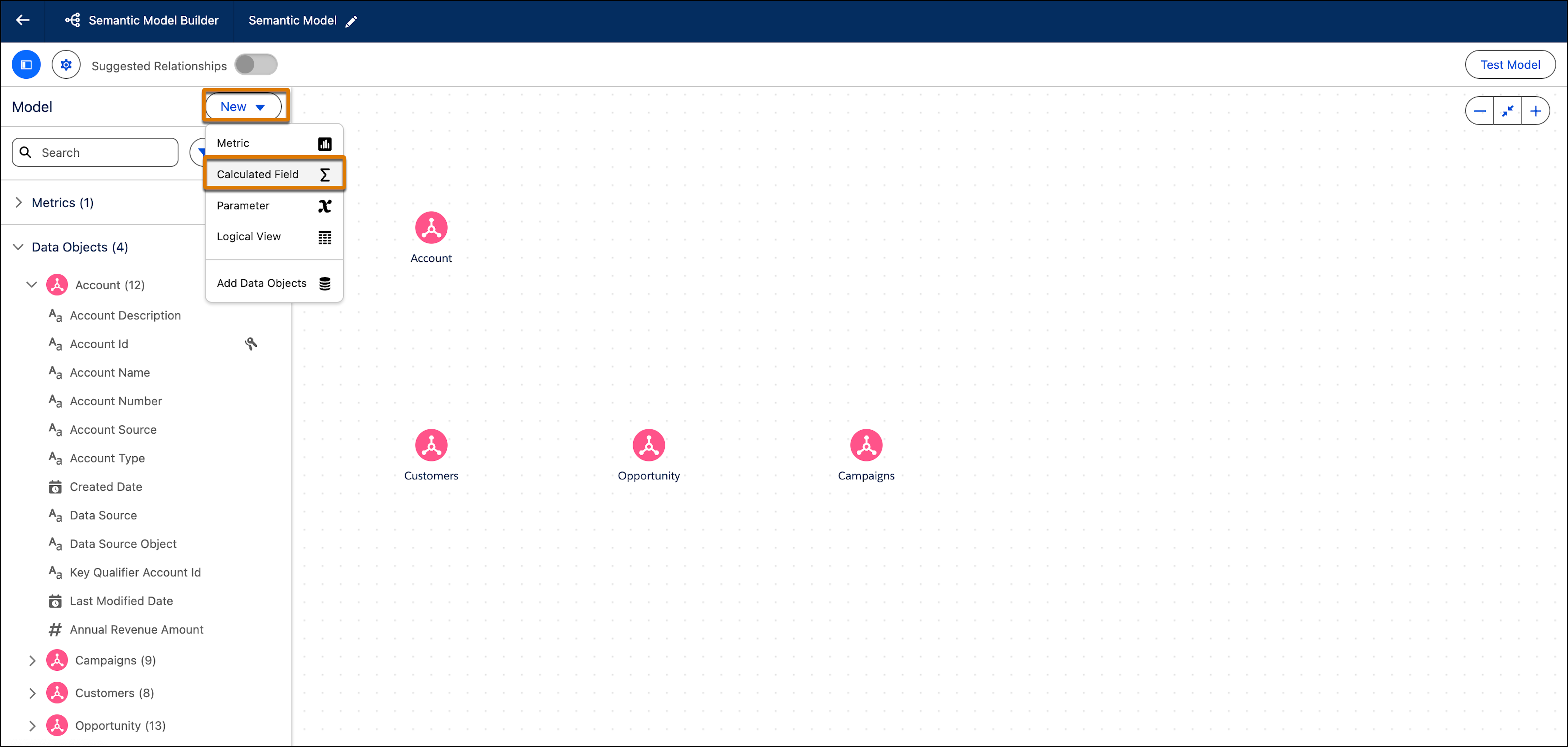
-
Under Draft this Calculated Field with Einstein, enter a description
of what you want the field to calculate and how. The more descriptive you are, the better!
For example, create a calculated field that shows return on advertising spend for all campaigns, using orders data.
- Click Draft with Einstein.
-
Einstein automatically fills out all of the fields within the calculated field. An icon
appears above each field indicating it was generated with Einstein.
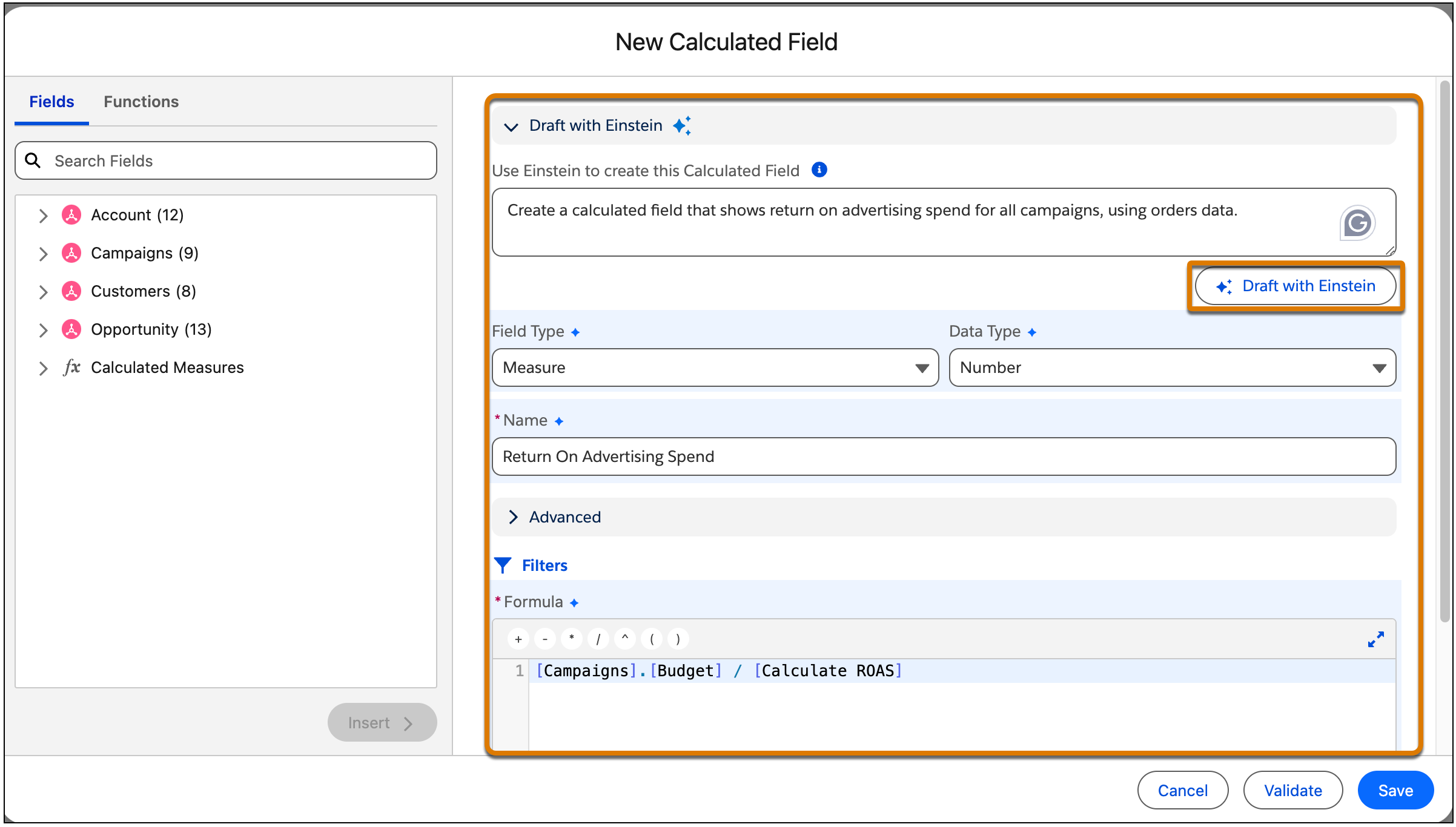
-
Review the fields and formula and edit any section according to your needs and then click
Save.
The new calculated field is added to the Semantic Model and you can now use it to create relationships.