Calculated fields are fields that don't exist in the underlying data and are defined
with a formula. Calculated dimensions are qualitative, categorical fields used to group,
classify, and segment data. Calculated measures are quantitative, numerical fields that are
aggregated.
Required Editions
| User Permissions Needed |
| To create a calculated field: |
Permission set:
AND
Semantic Models object
|
-
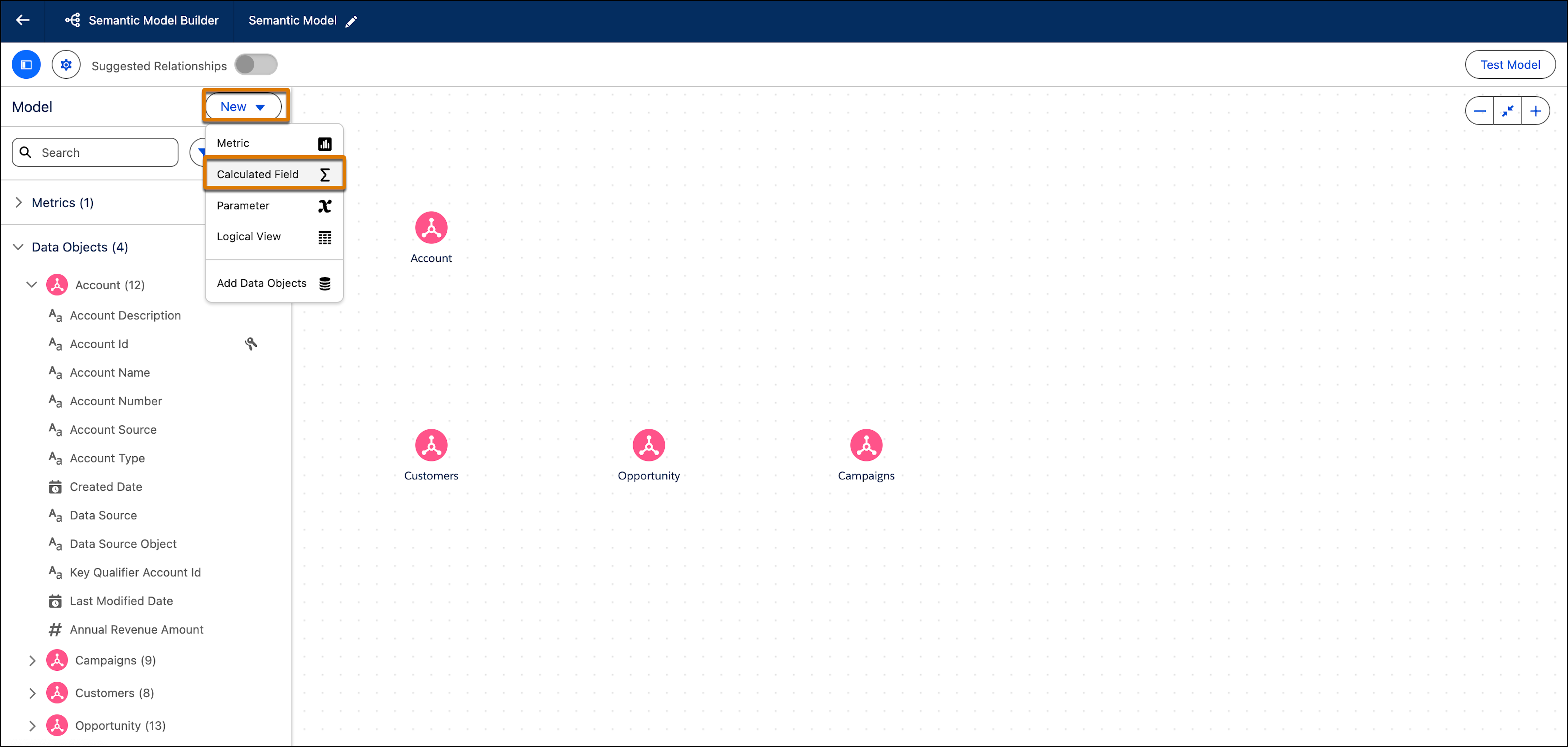
In Data Cloud, on the Semantic Layer tab, select a data model.
-
From the New dropdown, select Calculated Field.
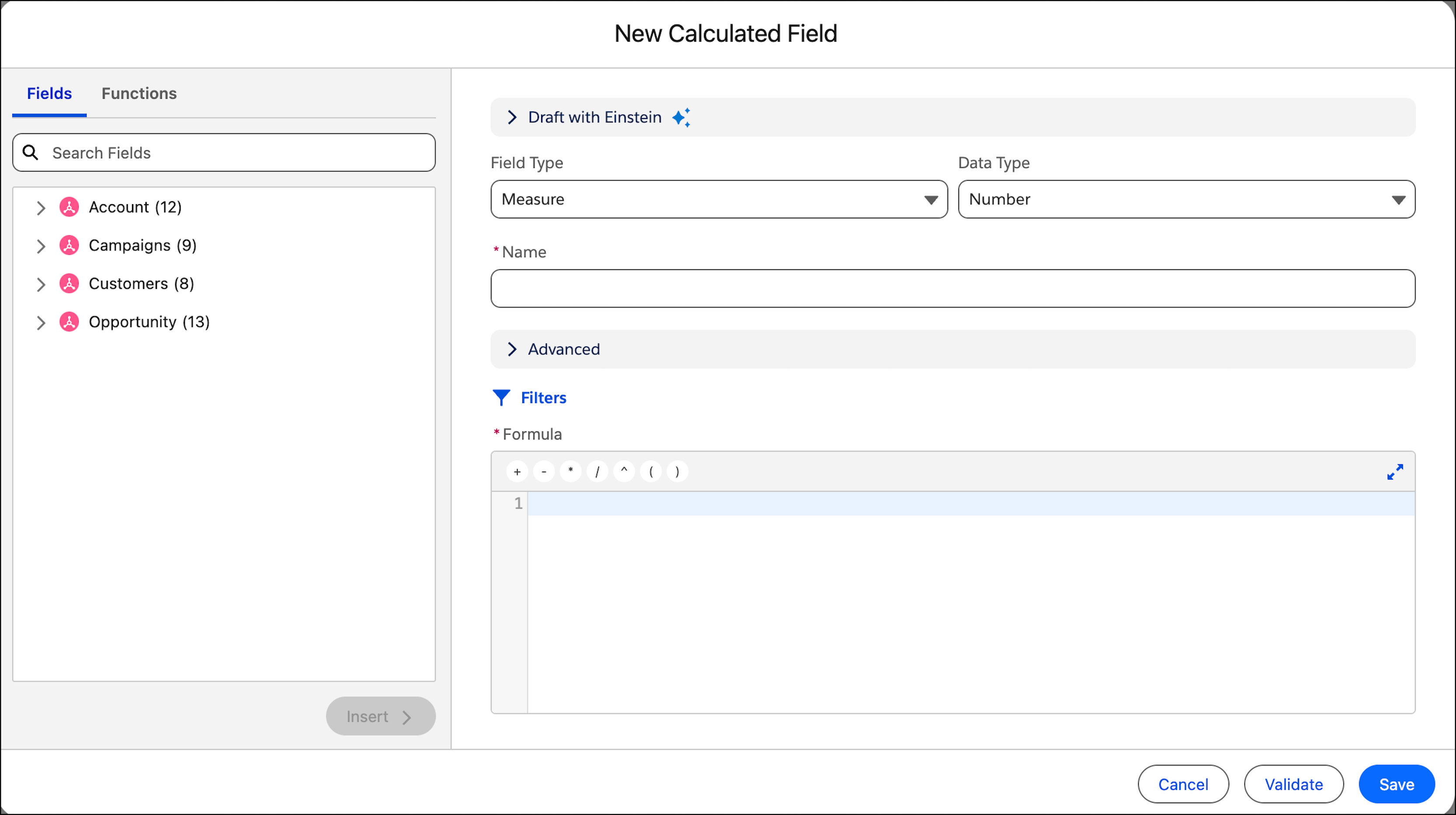
The New Calculated Field window opens.
-
Configure the calculated field settings (field type, data type, name, and so on). See
Configure Calculated Field Settings.
-
To add filters, click Filters. See Add Filters to a Calculated Field.
-
Write the formula. This formula is the substance of the calculated field. See Write a Formula in a Calculated Field.
-
Click Validate to test the formula. Resolve any errors as
needed.
-
When the calculated field is properly defined, click Save.