
To add Business Preferences to your semantic model:
Required Editions
| Available in: All editions supported by Data 360. See Data 360 edition availability. |
| User Permissions Needed | |
|---|---|
| To add a business preference: |
Permission set:
AND Semantic Models object |
- In Data Cloud, on the Semantic Layer tab, select the semantic model to which you want to apply the Business Preferences.
-
To add Business Preferences, click
 .
.
-
Enter your Business Preferences as free text. Start each preference on a new line,
beginning with #.
 Note Your text should stay within the character limit of 9000 characters, with a maximum of 20 preferences. Exceeding this limit produces an error.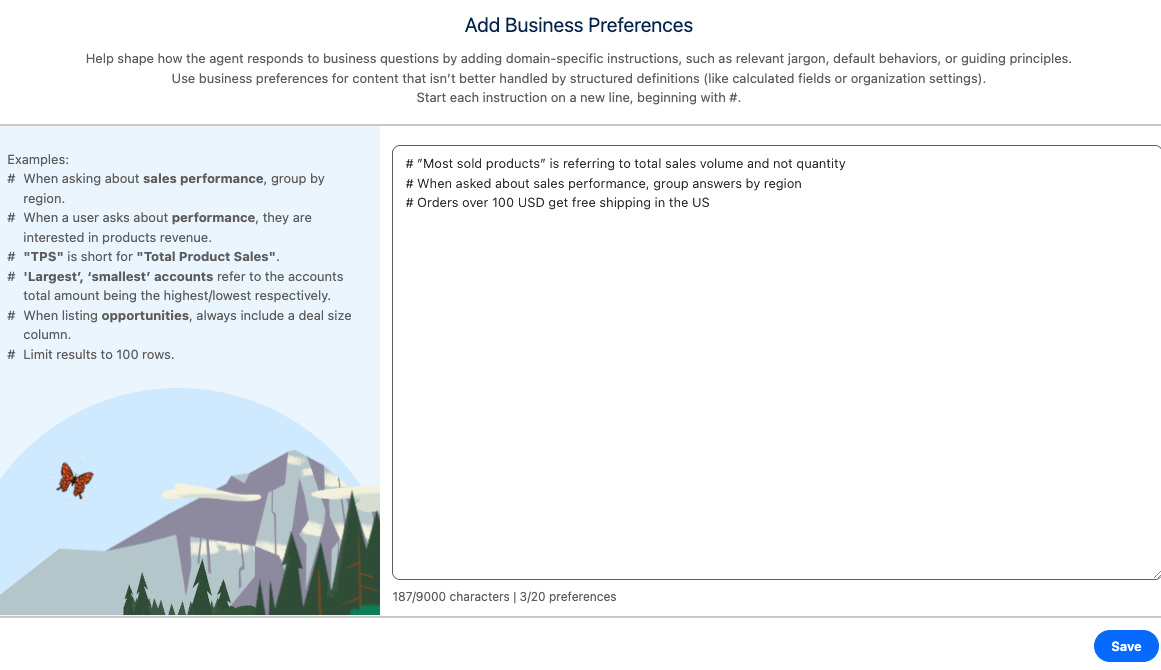
- Click Save.
- To add more Business Preferences or edit existing ones, repeat the process.