
Enhanced Contacts (beta) is an upgraded experience for interacting with contact lists and records, optimized for phone and tablet use and included with existing licenses.

Contacts is a highly trafficked and essential area within the Salesforce Mobile App. Enhanced Contacts (beta) is a native contacts experience, tailored for easier and faster access to contacts. The current contacts experience requires numerous taps, making it inconvenient, and lacks sought-after capabilities.
With Enhanced Contacts (beta), users can readily view recent contacts and lists, access caller ID for Salesforce contacts, enjoy easier contact search, use swipe actions, import and export contacts (in bulk or singularly), customize contact detail views, and more.
Requirements
The new Enhanced Contacts (beta) experience has been built to work on both phone and tablet interfaces on all currently supported iOS and Android devices. For more information, see Requirements for the Salesforce Mobile App.
Enable Enhanced Contacts
Admins can enable this beta feature for their org using the Mobile Feature Panel. From
Setup, in the Quick Find box, enter Salesforce Mobile App, and then
toggle Enhanced Contacts (Beta) to on. 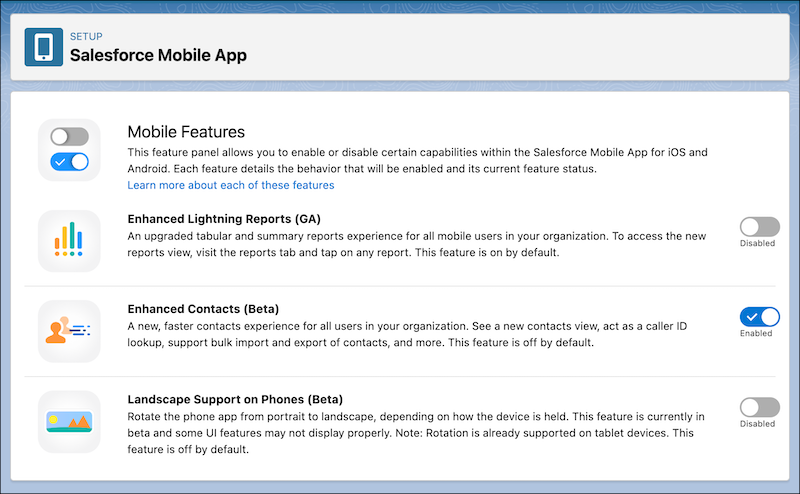
One enabled in an org, end users can toggle Enhanced Contacts on from the existing Contacts interface in the app.
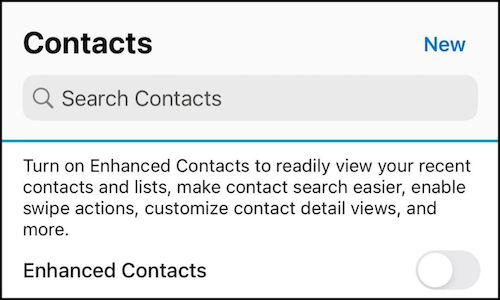
Any existing Lightning app that features the Contacts area is able to participate in Enhanced Contacts. Users can easily toggle between both contacts' experiences to try them out.
When Enhanced Contacts (beta) is on, the app uses the new contacts experience instead of the Lightning-based contacts experience. You can only use one contacts experience at a time.
To return to the existing Lighting-based contacts experience, navigate to the contacts home page and toggle off Enhanced Contacts (Beta).
Features of Enhanced Contacts (beta)
- New, native contact home
- Readily view recent contacts and lists
- Swipe actions for calling and emailing
- Enhanced import support
- Bulk import
- Triage zone for failed imports
- Single and bulk export
- Customizable contact detail views
- Caller ID lookup
Native Contact Home
- Easily access recently viewed contacts and lists.
Swipe Actions
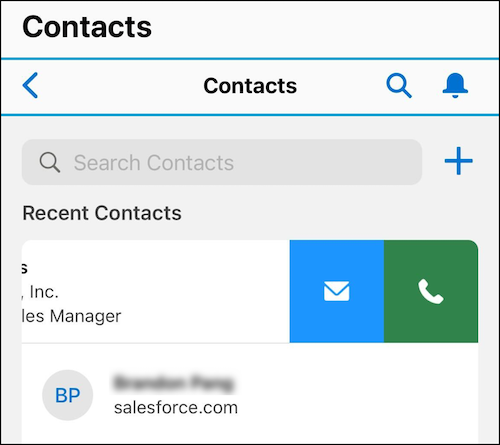
- You can now swipe left on a contact to quickly email or call them without having to open the full contact record. After the phone or email option is tapped, another menu opens with the contacts' different phone numbers and email addresses.
Import Support
- In the older contacts experience, import must be done one-by-one. In Enhanced Contacts (beta), you can bulk import contacts (and continue to do so one-by-one).
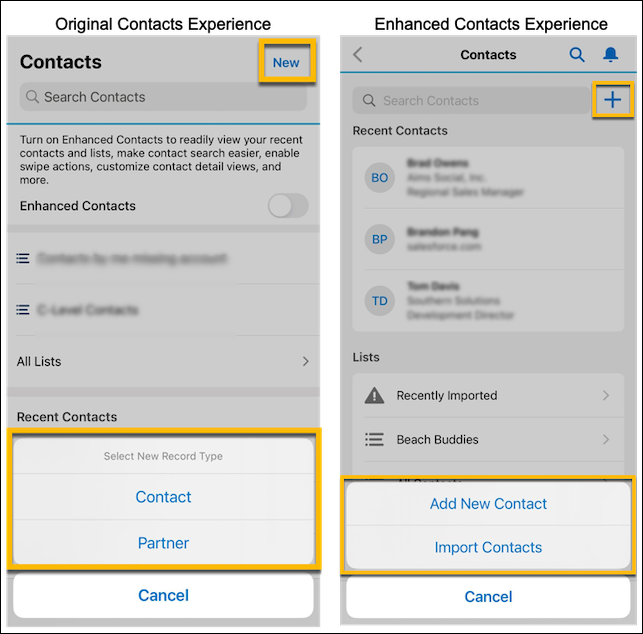
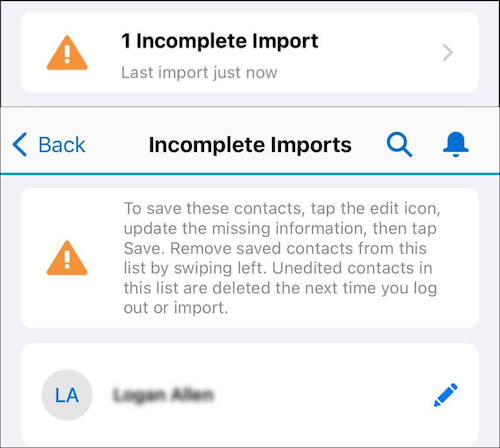
When importing, there’s a triage zone for failed contacts, where you can return later to add the required fields and then complete the import.
Export Support
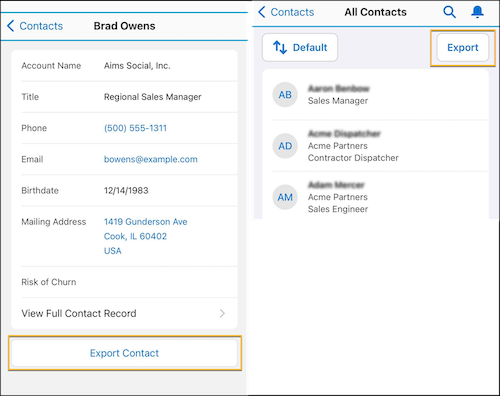
- In the older experience, there’s no export capability. Single and bulk export capabilities have been added to allow users to export contacts to their device, both from within a list or while viewing a single contact.
Customizable Contact Detail Views
- We introduced a native detail page that shows information based on the compact layout
defined in the org. This page allows you to see the fields you care about the
most.Note If a field isn’t mobile compatible, it isn’t shown in the app.
Caller ID Lookup
- You can now use Caller ID lookup from the Salesforce database. This feature gives automatic lookup of incoming calls without exporting contacts from Salesforce to your phone.
Beta Limitations
- Importing Contacts - Required Fields
- On import, the app doesn’t respect page layout-required fields. Last Name is the only required field for an import.
- Contact Duplication
- The Salesforce Mobile App doesn’t control duplication. For information on checking and editing your org’s duplication rules, see Standard Contact Duplicate Rule.
- Samsung Caller ID
- Caller ID doesn’t work on Samsung devices.
How to Send Feedback
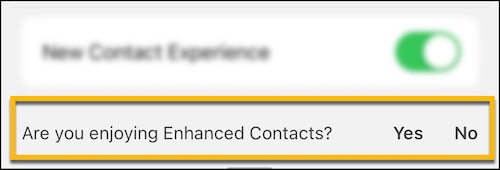
Within the app there’s a feedback card at the bottom of the Enhanced Contacts (beta) home page. Leave feedback by tapping on that and filling out the feedback form.
Also, you can email mobilefeaturefeedback@salesforce.com with further feedback.