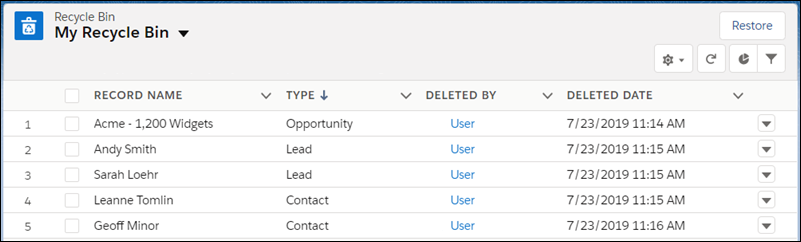
Access your deleted records in the Lightning Experience Recycle Bin. The Recycle Bin is
a list view that allows you to sort and filter to find the records you need.
Required Editions
| Available in: Lightning Experience |
| Available in: Group, Essentials, Professional, Enterprise,
Performance, Unlimited, and Developer Editions
|
| User Permissions Needed |
| To view and restore your deleted records: |
Read on the records in the Recycle Bin |
-
To access your Recycle Bin, from the App Launcher, find and open it, or add it to your
navigation bar.
-
To restore records, select them and click Restore.