
Choose how you want to roll out and share templates with your users.
Required Editions
| Available in: Lightning Experience |
To share your new and converted templates with your team, pick the solution that best meets your business needs. Give your users access to a list of templates in a specific order with more background information.
- Set link sharing to View only for the templates to share and disable requests to edit.
-
Create a document and add links to the templates in the desired order.
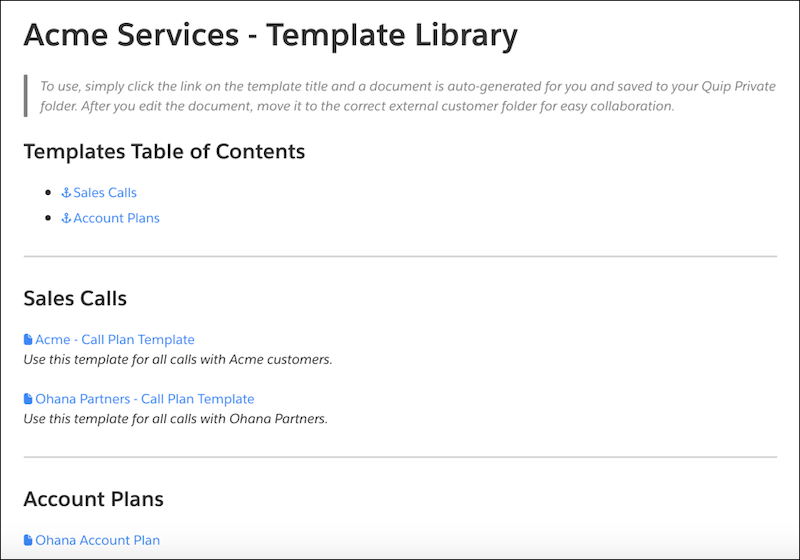
- Add background information to the document.
- Share the document with individual users or add it to a shared folder.
-
If your templates are for a specific team’s needs, add your templates to a shared folder or
add individual users to the templates. Set the access level to Can View.
Users shared on the template can access it from their Shared with Me private gallery in the Template Library.