
Use Salesforce data seamlessly in your documents and spreadsheets with Salesforce Data Mentions. Mention live data from Salesforce to see dynamic fields that stay updated with the latest Salesforce data. Update fields from your documents and spreadsheets and sync them to Salesforce.
Required Editions
| Available in: Lightning Experience |
To add a Salesforce Data Mention to a document or spreadsheet, you need view access to the Salesforce record or field. To edit the data mention, you need edit access in Salesforce.
To insert a Salesforce Data Mention, you can:
- @Mention Salesforce Data Mention and enter the record name.
- @Mention the record name and select the field.
- Select Salesforce Data Mention from the Insert menu.
- Paste a Salesforce record URL in a document. You can then choose to show the URL as a Salesforce data mention and decide whether to mention the record or a specific record field.
Add a Salesforce Data Mention to a Document
Mention live data from a Salesforce record or field in your documents without breaking the flow of your content.
Required Editions
| Available in: Lightning Experience |
-
To add a data mention starting from a record, @mention the record name in a document.
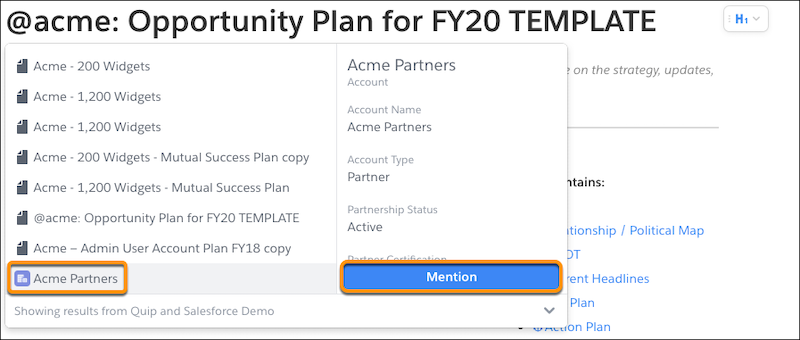
- Click Mention.
-
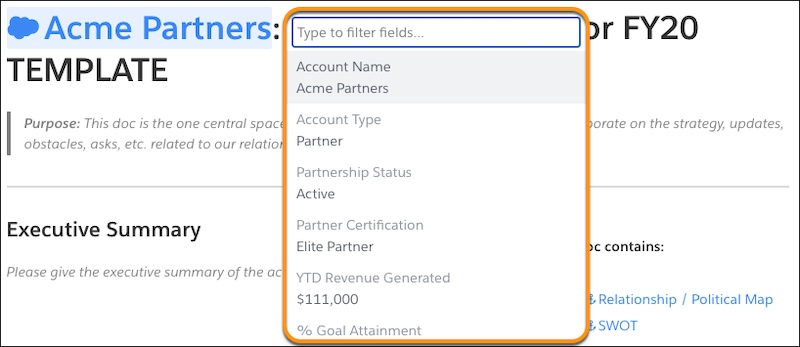
To mention a record field, enter or select the field name.
-
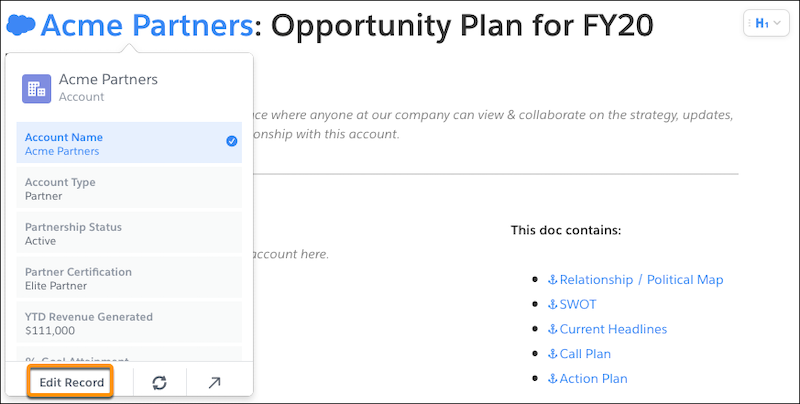
To see a compact layout of the record, hover over the data mention. To update record
fields, click Edit Record.
- To add available fields from the record to your layout, edit the fields or click Customize Layout.
- Click Save to Salesforce. Edits that aren’t saved to Salesforce are lost.
Salesforce Data Mentions added to your documents update automatically with the latest Salesforce data.
Add a Salesforce Data Mention to a Spreadsheet
Mention live data from a Salesforce record or field in your spreadsheets to keep calculations and more up to date.
Required Editions
| Available in: Lightning Experience |
-
To add a data mention starting from a record, @mention the record name in the
spreadsheet.
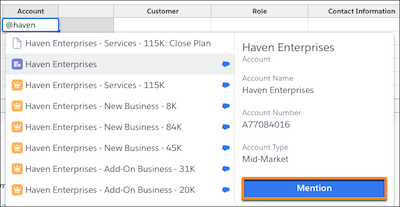
- Click Mention.
-
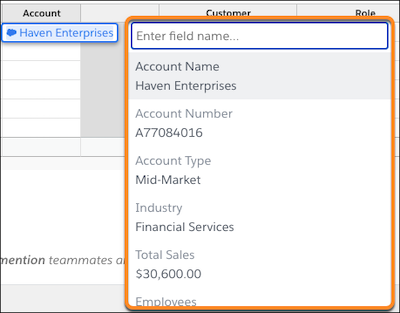
To mention a record field, enter or select the field name.
-
To see a compact layout of the record, hover over the data mention. To update record
fields, click Edit Record.
Salesforce Data Mentions added to your spreadsheets update automatically with the latest Salesforce data.