
For the managed package runtime, Vlocity Actions control the actions and operations that are allowed in each state on a particular Contract Document record. Vlocity Actions also control which users can perform actions and operations.
 This information is for Omnistudio for Managed Packages. For Omnistudio on standard runtime, see Omnistudio Help.
- Go to the Vlocity Actions tab and click the checkbox next to
- Click the down arrow for the Add Vlocity Action, and click Edit.
-
In the Applicable User Profile picklist:
-
To prevent unauthorized users from downloading contract documents, for each authorized user, select the user from the Available list and click the right arrow to move it to the Chosen list.
-
To ensure only authorized users can download contract documents, for each unauthorized user, select the user from the Chosen list and click the left arrow to move it to the Available list.
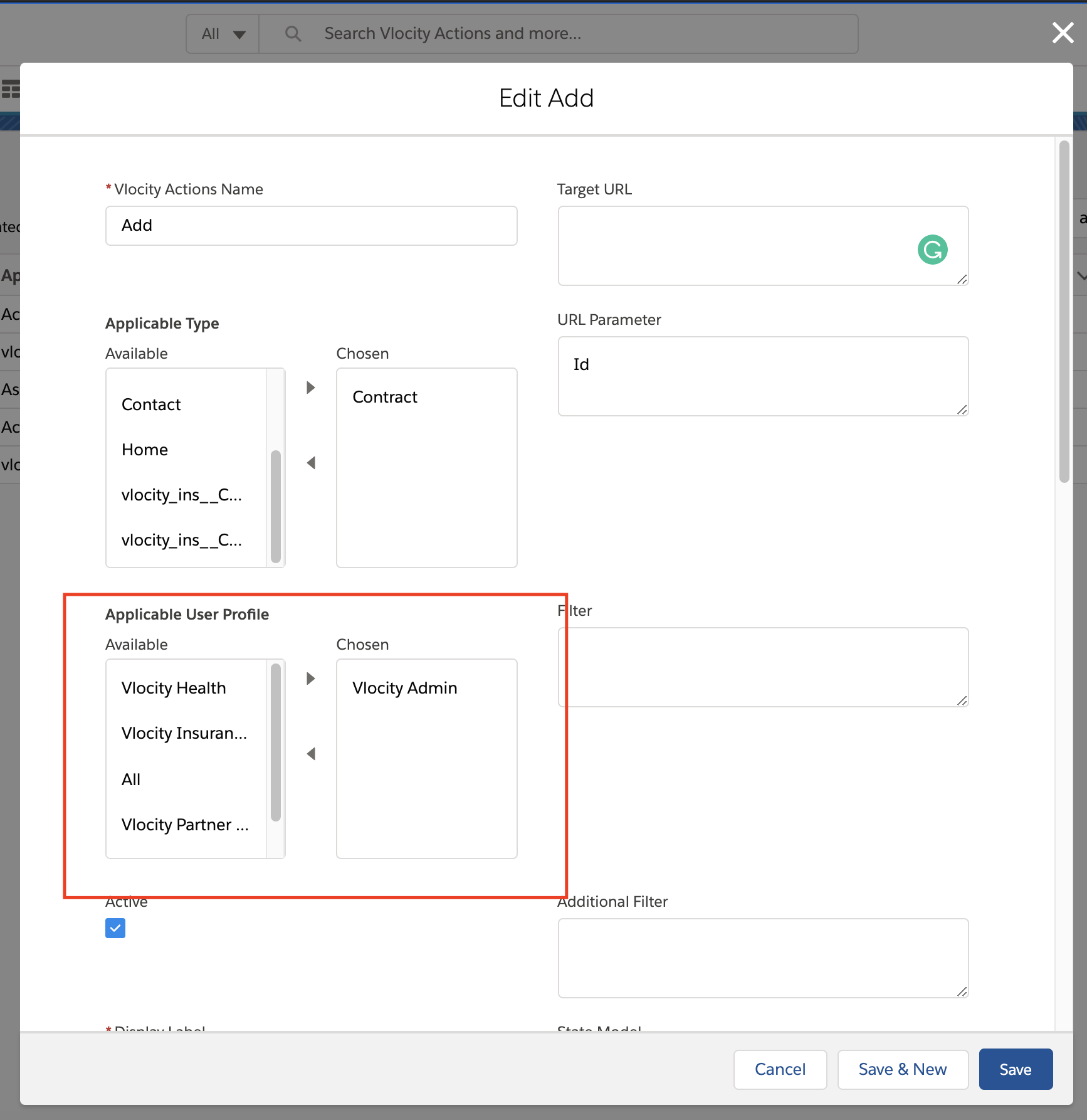
-
- Click Save.
- Repeat steps 1 through 4 for the Check Out to Customize and Check Out to Customize Console actions.