
Describe an app in plain language and Agentforce creates the first version.
Required Editions
| Available in: Lightning Experience |
| Available in: Enterprise, Performance, Unlimited, and Developer Editions with Foundations, or Agentforce 1 or Einstein 1 Editions |
| User Permissions Needed | |
|---|---|
| To build agentic mobile apps: | Manage mySalesforce Apps |
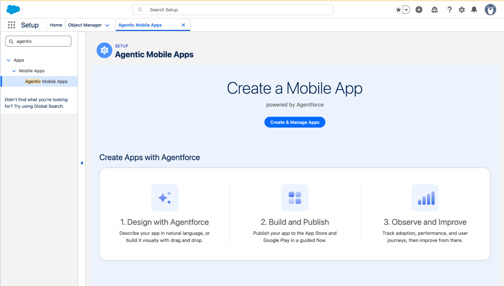
The Create & Manage Apps screen is home for every agentic mobile app in your org. Start a new app or reopen an existing app from this screen.
-
On the Agentic Mobile Apps page, click Create & Manage Apps
to access the Agentforce interface and describe the app you want.
For example, enter Build an app so partners can see their opportunities and accounts.
- Answer the clarifying questions that Agentforce asks.
You can ask Agentforce to add theming from Figma files. To do that, share a file with mobile screens designed as individual frames and attach the Figma access token. Share the Figma URL (until "?node").
- Select a customer-facing app based on an Experience Cloud site or an employee app based on your Salesforce org.
- Agentforce builds the first version.
The app opens in the Mobile App Designer. You can change anything until you activate and publish the app.