
Display the imperial calendar for users with the Japanese (Japan) locale.
Required Editions
| Available in: Lightning Experience |
| Available in: Group, Professional, Enterprise, Performance, Unlimited, and Database.com Editions |
| User Permissions Needed | |
|---|---|
| To modify user interface settings: | Customize Application |
- From Setup, enter User in the Quick Find box.
- Select User Interface.
- Select Enable Japanese Imperial Calendar in Lightning Experience for the Japanese (Japan) locale.

Example
When the imperial calendar is enabled, only users with a locale of “Japanese (Japan)” can see it (1).
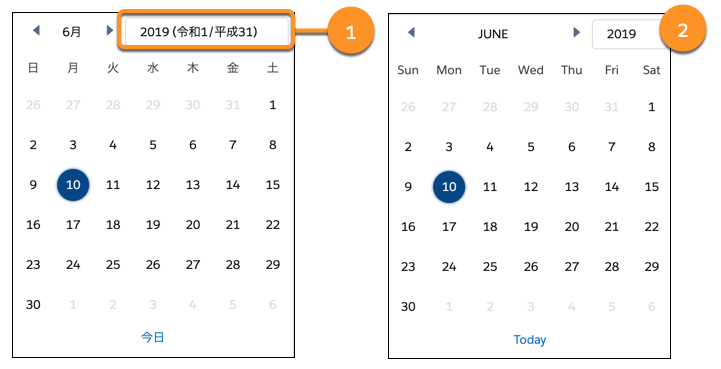
The imperial calendar information is hidden for users with other locales (2).
Make sure that users who want to view the imperial calendar set their locale to Japanese (Japan) and their language to Japanese.