Keep your Salesforce CMS workspace tidy and your content organized with folders. Create
folders with up to five levels of hierarchy, and edit, move, rename, and delete folders to
easily navigate the content in your workspace. Folders are unique to each CMS workspace, and
they’re shared with every user in that workspace.
Required Editions
| Available in: Lightning Experience |
| Available in: Enterprise, Performance, Unlimited, and
Developer Editions
|
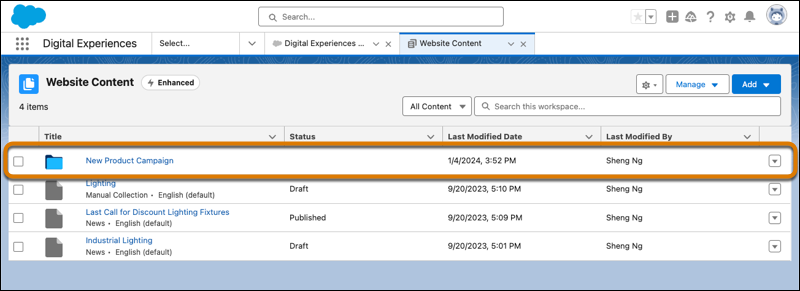
Add folders to a workspace, and then view the folders in the workspace content list.
Folders appear at the top of the content list, above individual content
items.
Each folder has a folder ID that appears in the URL. The folder ID is a unique,
alphanumeric identifier automatically assigned to the folder when it’s created. Because of
this unique ID, folders are unique to the workspace and can’t be moved to another workspace.
Bookmark the URL to readily find and share the link to specific folders with other members
of the workspace.
To organize your content into folders, first create a folder in a CMS workspace. Then
select your content, and move it into a folder. Or open a folder and create new content.
Then move the content between folders or back to the workspace.