If a contributor leaves your company or is transferred to a different team, you can
remove the contributor from a CMS workspace. The user or public group is removed from the
workspace but not from Salesforce.
Required Editions
| Available in: Lightning Experience |
| Available in: Enterprise, Performance, Unlimited, and
Developer Editions
|
| User Permissions
Needed |
| To manage contributors in a CMS workspace: |
A CMS workspace contributor role of content admin |
-
In the Digital Experiences app, go to CMS Workspaces and open the appropriate
workspace.
-
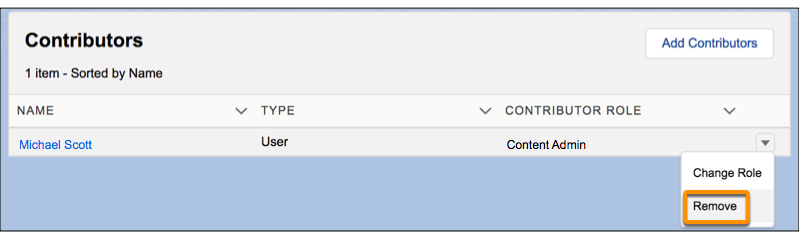
On the Contributors tab, click the down button and select
Remove.
After you remove a contributor from a CMS workspace, the contributor can no longer
access that workspace.