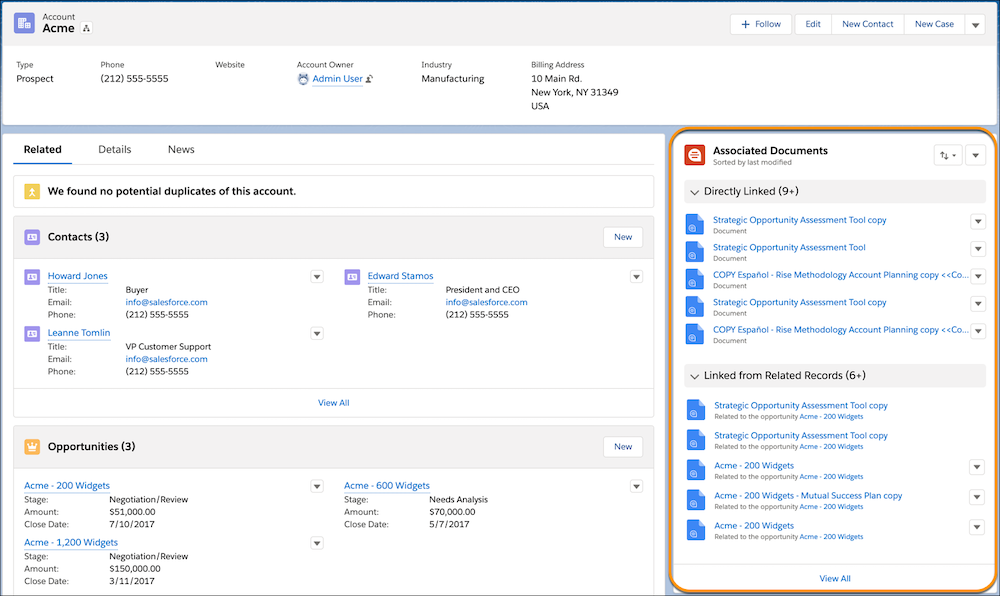
Add the Quip Associated Documents component to your page layouts so that documents are
easy to access. You can add the component to accounts, opportunities, leads, most other standard
objects, and your custom objects.
Required Editions
| Available in: Lightning Experience |
| User Permissions Needed |
| To add the Quip Lightning component: |
Administrator Permissions |
To add the Quip Associated Documents component:
-
From the Setup menu on a record page, click Edit Page.
-
Under Components, select Quip Associated Documents.
-
Drag the component to the column on the right.
-
Click Save and then click Activation.
-
On the Activation: Account Record Page, click Assign as Org Default
and close the page.