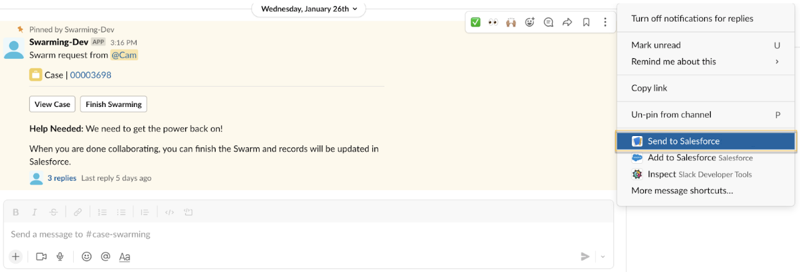
Share messages from a Slack swarm channel with case collaborators in Salesforce. The message you send appears
in the case feed to provide context about case developments that arise in Slack conversations.
- Click More Actions on the right corner of the message you want to
send.
- Select the Send to Salesforce shortcut. A confirmation notifies you
in Slack when the message arrives the the case feed.
In Lightning Experience, the message timestamp is set to GMT and can’t be changed.