Keep your teams focused on operations by letting them create records using custom
objects without switching to Salesforce. Teams can search for and manage records created from
custom objects in Sales Cloud for Slack.
Required Editions
|
Available in: Lightning Experience
Available in: Enterprise, Performance, Unlimited, and
Developer Editions
Available in: Slack (where approved by a workspace admin)
|
| User Permissions Needed |
| To create and access custom objects in Salesforce: |
Customize Application |
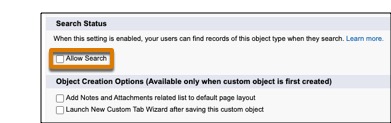
- To make custom objects accessible in Slack, make sure they’re searchable in Slack when
you’re creating them.
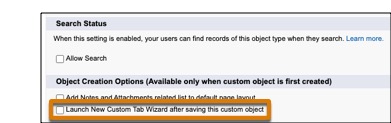
- To let reps create records from custom objects in Sales Cloud for Slack, in Salesforce,
under Object Creation Options, select Launch New Custom Tab Wizard after saving this
custom object.