Give partners access to send personalized sales emails fast from your Experience Cloud
Aura sites by using Einstein Sales Emails. From the email composer on contacts and leads, partners
can rely on generative AI to help them craft impactful emails quickly. To begin drafting, partners
choose from a collection of standard email prompt types for common sales scenarios, such as
introductions, nudges, and meeting invitations. Or you can develop custom sales emails prompt
templates by using Prompt Builder. To set up Einstein Sales Emails for partners, turn on the
necessary features and assign the required permissions to partner users.
Required Editions
| Available for partners in Experience Cloud Aura sites sites, accessed through Lightning
Experience in Enterprise and Unlimited Editions with Sales or
Service. |
| A PRM add-on
license and Einstein for Sales add-on license are required for each partner user.
The Einstein for Sales add-on license is available for an extra cost in Unlimited
Edition. |
| User Permissions Needed |
| To enable Einstein Sales Emails for Partners: |
Customize Application
AND
Manage Users
|
- Set up Einstein generative AI.
- From Setup, in the Quick Find Box, enter Einstein Setup and
select it.
- Turn on Einstein.
- Set up Sales Emails.
- From Setup, in the Quick Find Box, enter Einstein for Sales and
select it.
- Turn on Sales Emails.
To let partners enter their own prompt instructions for the email they want Einstein to
write, also turn on Add Email Prompt Instructions.
- Assign permissions to partner users.
- From the Einstein for Sales page, click Assign Permission
Sets.
- From the Permission Sets page, assign the Einstein for Sales Generative AI for Partners
permission set to partner users.
- Verify that users have access to the email composer in your partner site. Verify that
partners are assigned the Send Email and Access Activities user permissions.
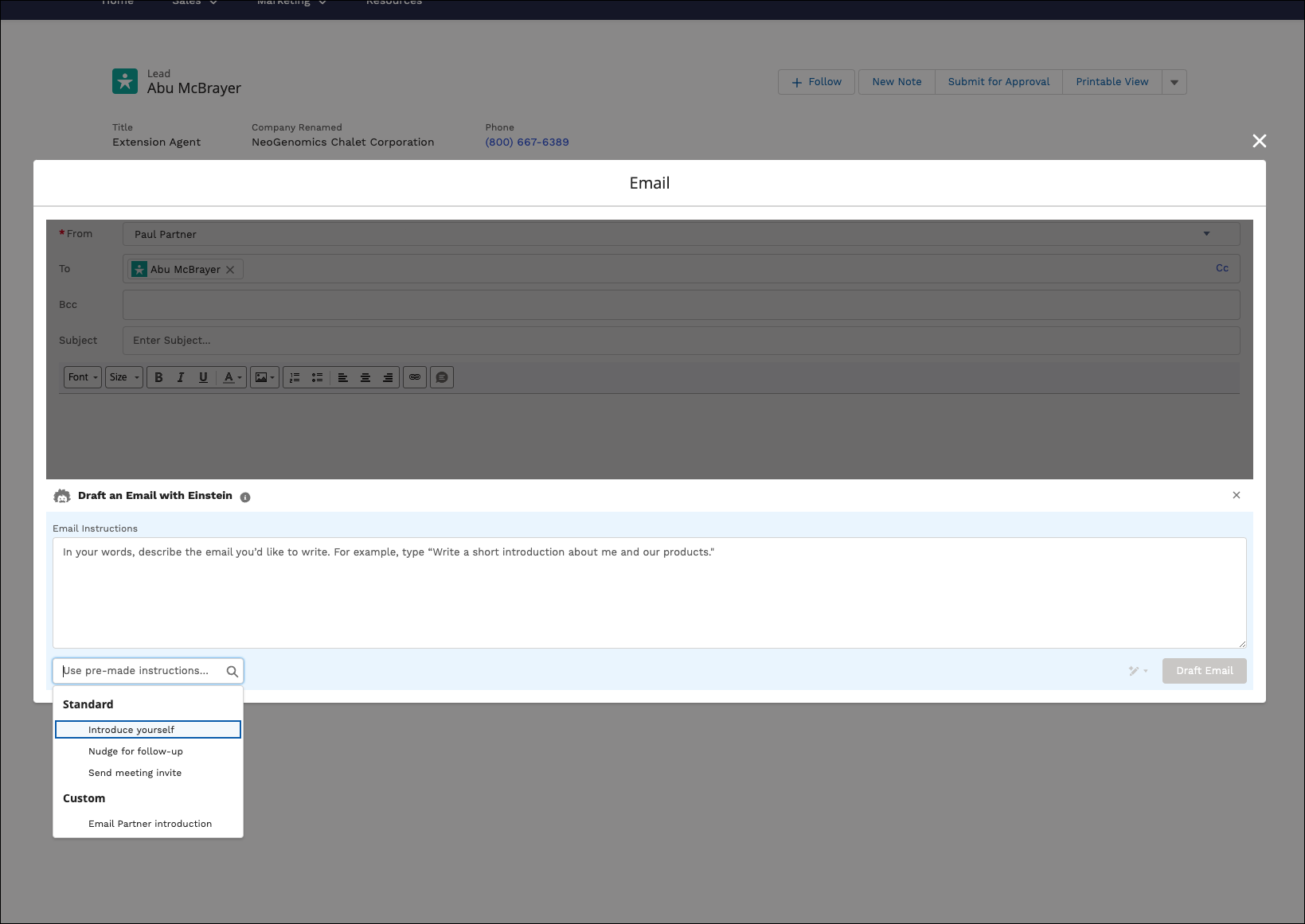
Partner users see a Draft with Einstein button on the email composer for their
contacts and leads in their Experience Cloud site. After clicking the button, partners have
access to a collection of
standard email prompt types.
To give emails your company’s unique customer relationship history and insights, create custom sales
email prompt templates by using Prompt Builder. The custom sales email prompt templates
that you create are available to all Einstein Sales Emails users, including internal users
working from Lightning Experience and partner users working from Experience Cloud
sites.