Partner Connect lets partner users export a vendor’s leads or opportunities from the
vendor’s Experience Cloud partner site to their own Salesforce org. If the feature is configured,
partner users also get a read-only glimpse of how the record is progressing in the vendor's
system. If the admin with the vendor company gave users permission to create and customize list
views, partner users can also add the Export Status field to Lead and Opportunity list views.
Required Editions
| Available in Lightning Experience in Enterprise and Unlimited
Editions with Sales or Service. Vendors must purchase a PRM add-on license for the partner admin
user and each partner user who exports records. Partners aren’t required to purchase
PRM licenses to use Legacy Partner Connect. |
| User Permissions Needed |
| To export records from a vendor org to an authorized partner org: |
Export Vendor Records to an Authorized Partner Org (in the vendor org) |
| To create and customize list views on the vendor's Experience Cloud partner
site: |
Create and Customize List Views (in the vendor org) |
- Log in to your vendor’s partner site.
- Go to the page that contains the records that you want to export. Depending on your
vendor's settings, export is available for leads, opportunities, or both.
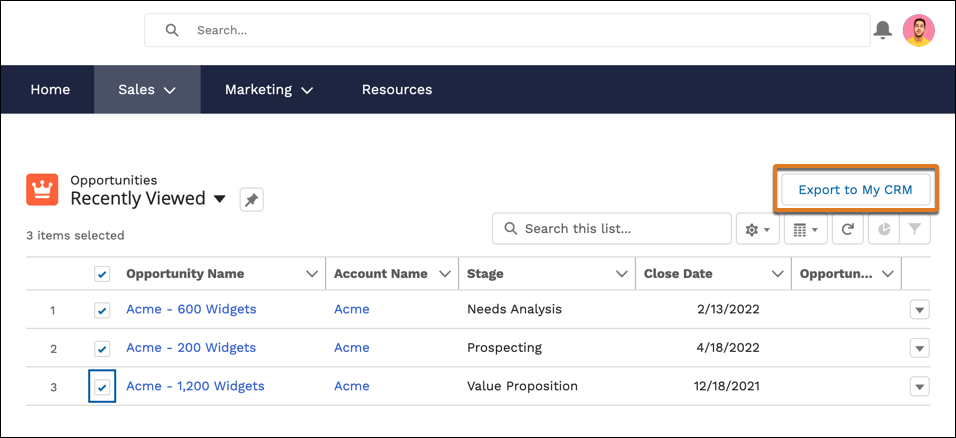
- Select the records that you want to export. You can export up to 200 records at one
time.
- Click the Export to My CRM button.
After records are exported, we send an email to the Partner Connect admin at your
company that confirms which records were imported to your Salesforce org. After a record is
imported, only users in the partner org can edit it. If vendors decided to continue sending and
receiving record updates, a read-only connected external lead or opportunity is also created.
That record represents the vendor's version of the record.
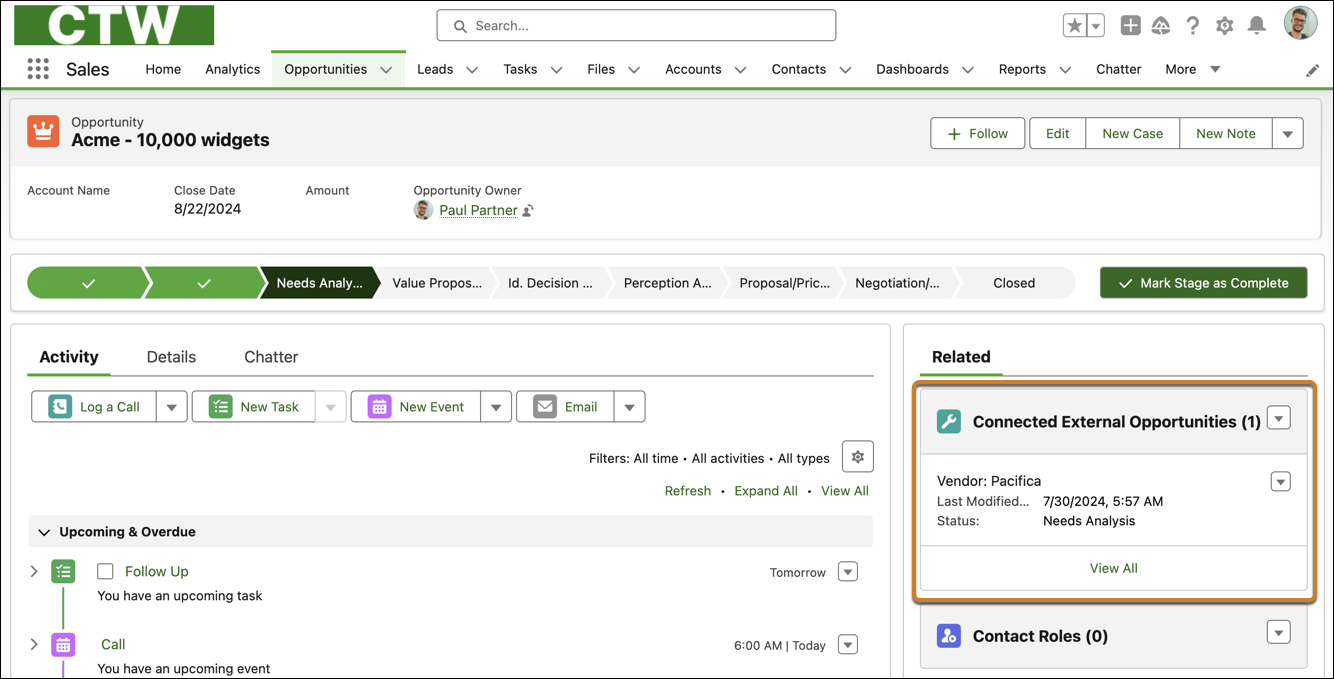
- To view the vendor’s version of the record, log in to your Salesforce org and open any
imported lead or opportunity. The Connected External Lead or Connected External Opportunity
related list shows the read-only version of the vendor’s record.
Sometimes vendors decide not to share updates for all fields on a record, even if the
field was included during export.