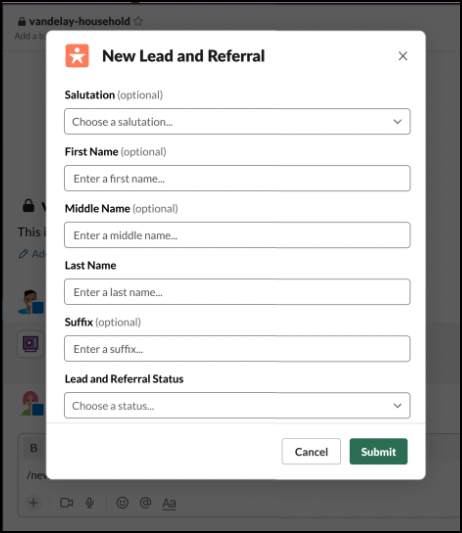
Create a lead or referral by using the Slack slash command. The shortcut slash command is available in the Financial Services Cloud for Slack app where Leads and Referrals is turned on.
Required Editions
|
Available in: Lightning Experience Available in: Enterprise, Performance, and Unlimited editions Available in: Slack (where approved by a workspace admin) |
| User Permissions Needed | |
|---|---|
| To use Salesforce with Slack: | Connect Salesforce with Slack |
| To use Action Plans: |
Financial Services Cloud Extension permission set AND Customize Application |
In Slakc, enter the slash command in the text box field to get started.
| Slash Command | Supported In | Details |
|---|---|---|
| /finserv create lead | Channel, App | Create a lead or referral. |
- In Slack, open the Financial Services Cloud app.
- In the text box, type the /finserv create lead slash command.
- Select a record type, and click Next.
- Enter the lead information, and click Save.