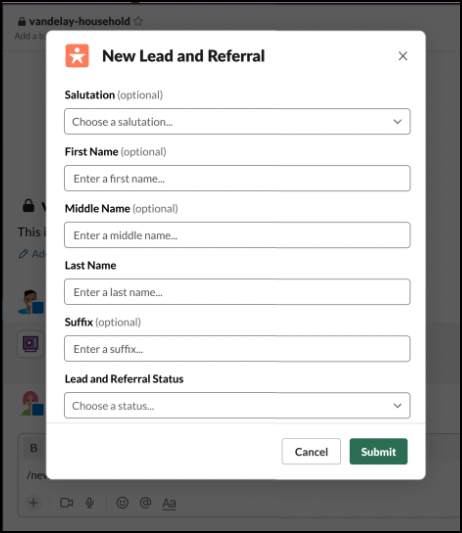
Save time by creating a lead or referral in Slack.
Required Editions
|
Available in: Lightning Experience Available in: Enterprise, Performance, and Unlimited editions Available in: Slack (where approved by a workspace admin) |
| User Permissions Needed | |
|---|---|
| To use Salesforce with Slack: | Connect Salesforce with Slack |
| To use Action Plans: |
Financial Services Cloud Extension permission set AND Customize Application |
- In Slack, open the Financial Services Cloud app.
- Click View Your Leads and Referrals.
- Click Create a New Lead or Referral.
- Select a record type, and click Next.
- Enter the lead details, and click Save.