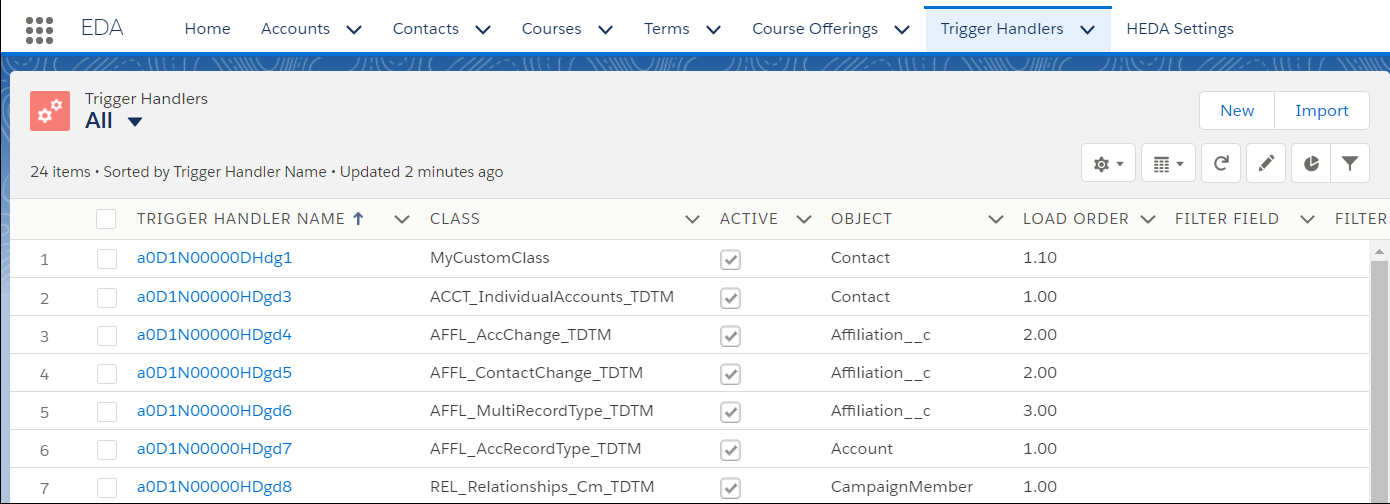
Trigger Handlers are records just like any other, so you can create list views to filter and sort the records. Access the Trigger Handler records via the Trigger Handlers tab.
- Click the Trigger Handlers tab.
 Note Sometimes the Trigger Handler tab isn't visible by default. If you don't see it, click the More tab. If you still don't see it, from the App Launcher, find and select Trigger Handlers. (Items are listed alphabetically.) Only System Administrators should have access to the Trigger Handler tab. As a best practice, remove access for all other Profiles.
 - Select the All list view to see the full list of Trigger Handler records.