
Create data to represent your educational institution in Student Success Hub.
Student Success Hub is designed to give your support staff a rich, complete view of their students. It can draw student information from any object related to the Contact or Case object, such as Program Enrollment or Attendance Event, to highlight essential data about a student that is tracked in EDA or K-12 Architecture Kit.
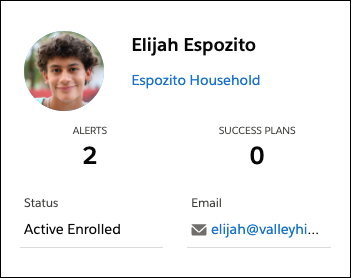
Typically, you're integrating data from your Student Information System or other external systems using common data integration tools such as Salesforce APIs or Lightning Connect. However you choose to import your data records into EDA or K-12 Architecture Kit, we recommend including—at a minimum—data about your school, institution, or district's organizational structure, including current personnel and course and term information. (You'll import support staff and student data after importing and configuring your institution's data).
We recommend this sequence for importing this first level of data into EDA or K-12 Architecture Kit.
-
Create these Account records.
-
K-12 orgs
- An Educational Institution account for the top-level entity representing your district.
- Educational Institution accounts for the schools that your students are affiliated with.
- Academic Department accounts for the programs that your students are affiliated with.
-
Higher ed orgs
- An Educational Institution account for the top-level entity representing your institution, such as the entire university.
- University Department accounts for the departments or schools that your students are affiliated with.
- Academic Program accounts for the programs that your students are affiliated with. For the Parent Account field, specify an appropriate university department.
-
- Create Term records for relevant academic terms.
- Create Course records for students' courses.
- Create Course Offering records for students' courses.
- If you're setting up Pathways, create Program Plan and Plan Requirement records for programs and certifications. Make sure to first review Create Your School's Data for Pathways.
For data import details, see Recommended Data Import Sequence for EDA in the EDA documentation or Develop Your Own Approach to Modeling Your School in the K-12 Architecture Kit documentation.
See Also: