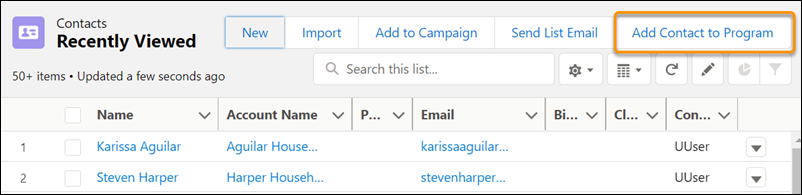
Mass creating Program Engagements for a Program reduces time and effort spent by your users.
- Enable Mass Creation of Program Engagements
Allow users to mass create Program Engagements for a single Program directly from a Contact list view.
Enable Mass Creation of Program Engagements
Allow users to mass create Program Engagements for a single Program directly from a Contact list view.
-
Click
 , then click Setup.
 -
Click the Object Manager tab.
-
In the list of objects, click Contact.
-
Click List View Button Layout.
-
Next to the List View layout, click
 , then select Edit.
 -
In the Available Quick Actions list, select Add Contact to Program, then click
 to move it to Selected Quick Actions.
 -
Save your update.
You can now mass create Program Engagements using the Add Contact to Program button.