
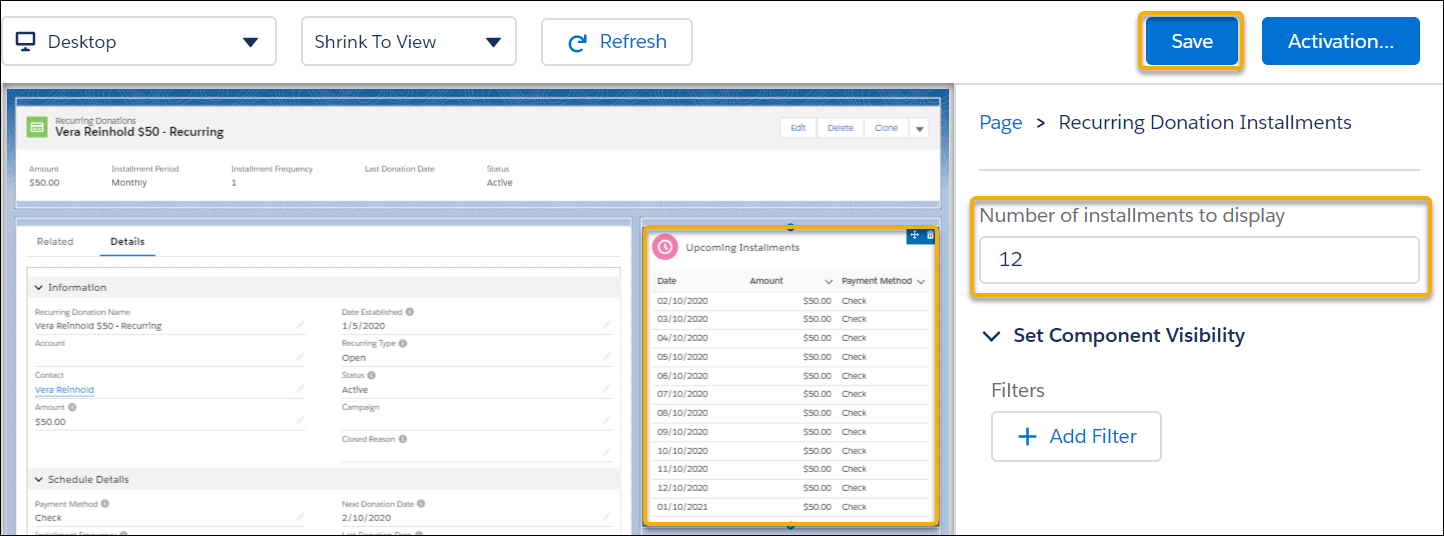
To adjust the number of installments shown in Upcoming Installments, edit the record page and adjust the component settings.
-
On a Recurring Donation record, click the gear icon then click Edit Page.
-
Click the Upcoming Installments component, then update Number of installments to display. 12 is the default value.
-
Click Save.

Note Upcoming Installments is a calculated display of installment Opportunities based on the field data on the Recurring Donation. If you change field data on an upcoming Opportunity, those changes won't be reflected in the Upcoming Installments visualization.