
An administrator can edit Trigger Handler records to deactivate them, change their load order, change which users will execute the Apex class, and so on. A common reason to edit a Trigger Handler is to disable it.
For more information, read Disable Table-Driven Trigger Management .
-
Click the Trigger Handler Tab.
-
Click the name of the Trigger Handler you want to edit.
-
Click Edit.

You can edit these Trigger Handler details:
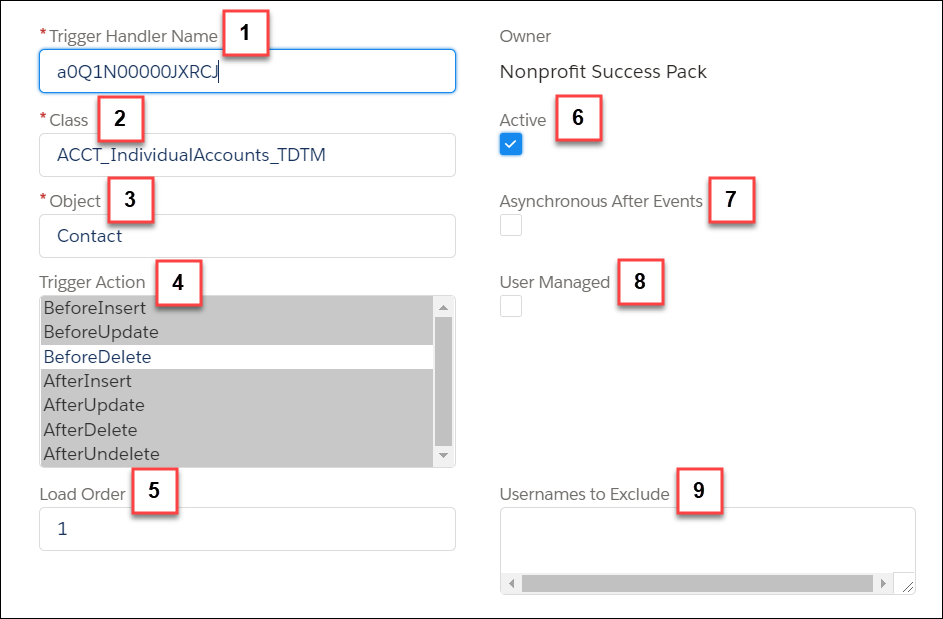
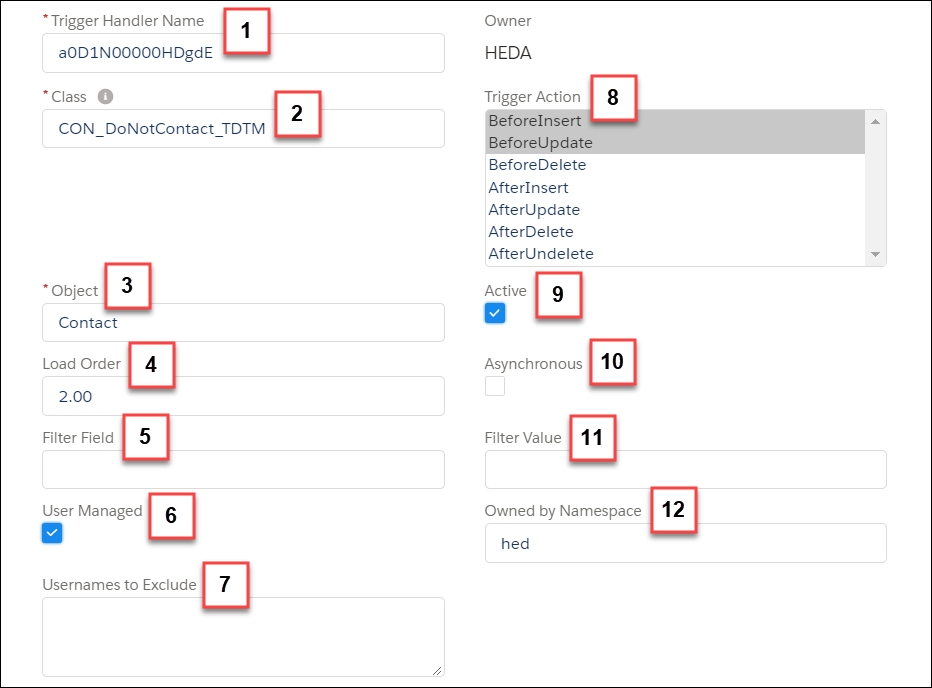
Trigger Handler Name (1)—Trigger Handlers provided with EDA use a record ID for the record name. If you create new Trigger Handler records, you can follow your own naming convention.
Class (2)—Name of the Apex class this Trigger Handler manages. If the class exists within a managed package you created, include the namespace prefix.
Object (3)—Name of the object, that when modified, runs the Apex class. For EDA custom objects, omit the namespace prefix (that is, use Address__c, not hed__Address__c).
Load Order (4)—Order in which Apex classes for the same object will run. Uses sequential numbers with two decimal places starting with 0.00.
Filter Field (5)—API Name of the field used to filter by. The Filter Field and Filter Value together specify when an Apex class should NOT run. Most field types are supported, including fields on related records (for example, Account.BillingStreet). If you reference an EDA packaged field, omit the namespace prefix (that is, use Citizenship__c, not hed__Citizenship__c).
User Managed (6)—Indicates that your org has customized this Trigger Handler and prevents it from reverting to default settings during a package upgrade. Enable User Managed on any packaged Trigger Handlers that you have modified to preserve your changes.
Usernames to Exclude (7)—A list of semicolon-separated Salesforce usernames that this Apex class should NOT run for. Leave this field blank to allow the class to run for all users.
Trigger Action (8)—Trigger actions that this Apex class runs on. Before Insert, After Update, and so on.
Active (9)—Indicates whether the Trigger Handler is active or not.
Asynchronous (10)—Allows this Apex class to run asynchronously. Requires that your Apex class supports asynchronous processing. EDA classes are not designed to run asynchronously. Test thoroughly if you enable this option.
Filter Value (11)—The value that Filter Field uses to filter by. The Filter Field and Filter Value together specify when an Apex class should NOT run. Text values must be an exact match but are not case sensitive.
Owned by Namespace (12)—The namespace identifies the package or class that the Trigger Handler belongs to, allowing you to group like Trigger Handlers together. EDA Trigger Handlers all have the hed namespace. We recommend specifying an Owned by Namespace value for all Trigger Handlers you create so you can easily distinguish them from others' Trigger Handlers.
-
Remember to Save your changes.

