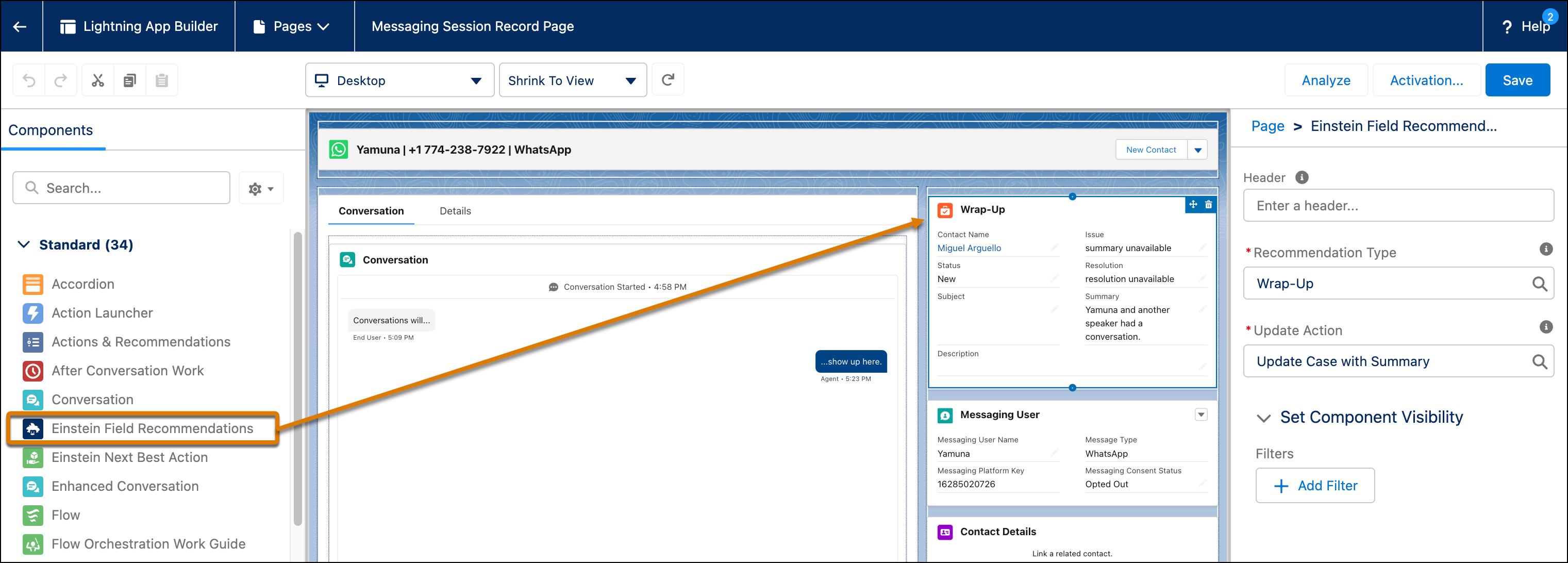
To let service reps generate and view the call summaries, add the Wrap-Up component to
the VoiceCall record page in the console.
Required Editions
| User Permissions
Needed |
| To customize action layouts and page layouts: |
Customize Application |
-
Open the Lightning App Builder.
-
Next to the voice call record page, click Edit.
-
To add the Wrap-Up component, drag Einstein Field Recommendations component on to the
record page.
-
In the Recommendation Type field, select Wrap-Up.
-
In the Update Action field, select the update action that you created to store the
summaries.
-
Click , and close the Org Defaults pop-up window.